Configuring Tests for the Microsoft Azure DNS Private Resolvers
Follow the steps below to configure tests for the managed Azure DNS Private Resolvers:
-
Once the Microsoft Azure DNS Private Resolvers component is added to eG Enterprise,Figure 1 will appear displaying the component that was just added.
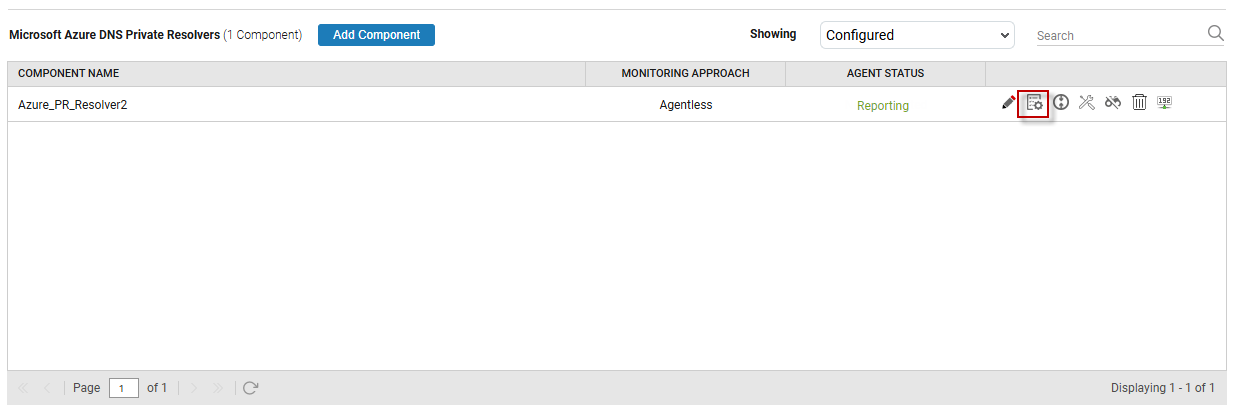
Figure 1 : The newly added MS Azure DNS Private Resolvers component
-
To configure tests for this component, click on the
 icon corresponding to it in Figure 1. Figure 2 will then appear displaying the tests configured by default and the unconfigured tests for this component.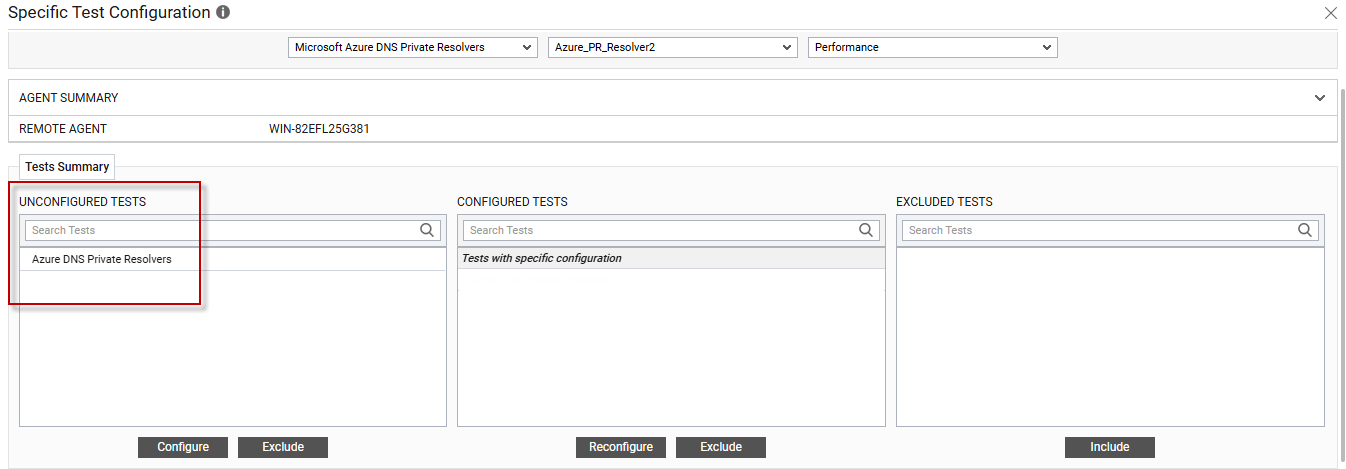
Figure 2 : The list of unconfigured tests for the MS Azure DNS Private Resolvers component
-
From the UNCONFIGURED TESTS list, select the Azure DNS Private Resolvers test and click on the Configure button below to configure it. Figure 3 will then appear.

Figure 3 : Configuring the Azure DNS Private Resolvers Test
Refer to Azure DNS Private Resolvers Test for more details on how to configure this test.
-
Once you configure the test, click on the Update button to save the changes. Doing so will automatically configure all the other tests listed in the UNCONFIGURED TESTS box of Figure 2.
You can now proceed to view the performance results that eG reports for the managed Azure DNS Private Resolvers by switching to / logging into the eG monitoring console.
