What is Amazon AppStream Multi-Session Service?
In late 2023, Amazon introduced the ability to deliver AppStream 2.0 using Microsoft Windows Server OS rather than the desktop of the OS. This feature enables IT admins to host multiple end-user sessions on a single AppStream 2.0 instance, helping to make better use of instance resources.
AWS’ multi-session capabilities for Amazon AppStream 2.0 fleets allows multiple users to share compute, memory, and storage resources associated with a given AppStream 2.0 instance, multi-session capability improves resource utilization and reduces operation cost per user compared to a one-to-one user-to-instance arrangement. Multi-session streaming instances are charged hourly. For pricing details, see: Amazon AppStream 2.0 Cost – AWS.
When to Use Amazon AppStream 2.0 Multi-Session Fleets
The following table may help you evaluate whether your AppStream 2.0 usage may be better suited to using multi-session fleets rather than single sessions.
| AWS AppStream 2.0 Single Session | AWS AppStream 2.0 Multi-Session | |
| Workloads | Ideal for resource-intensive applications or mission-critical workloads, or workloads are unpredictable. | Works well for predictable, extremely light, or sporadically spikey workloads, where efficient sharing of resources amongst multiple users is possible. |
| Costs | Cost dedicated to a user. Scaling possible per user. | Costs shared across users, so cost per user is lower. At the same time, can be scaled by host, not by user. |
| Security | Provides instance-level segregation. Eliminates the possibility of a user seeing what others are doing. | Relies on operating system (OS) level segregation for isolation. Less secure than single session. |
| Performance | All allocated resources are dedicated and available for the user. | Resource sharing introduces the possibility of one user impacting another’s performance — referred to as the “noisy neighbor” effect. |
The Need to Monitor Amazon AppStream 2.0 Multi-Session Fleets
24×7 proactive monitoring is more important for multi-session deployments vs. single session deployments:
- Resources are shared among multiple users in a single instance. This means that spikes in resource usage by one user can degrade the performance of other users.
- Implementing robust monitoring tools at the instance level is essential to mitigating the impacts of noisy neighbors.
- Monitoring can alert proactively when users use excess resources. Get insight to optimize system configurations and application settings to reduce resource usage and improve efficiency.
What eG Enterprise Offers for Monitoring AppStream 2.0 Multi-Session Fleets
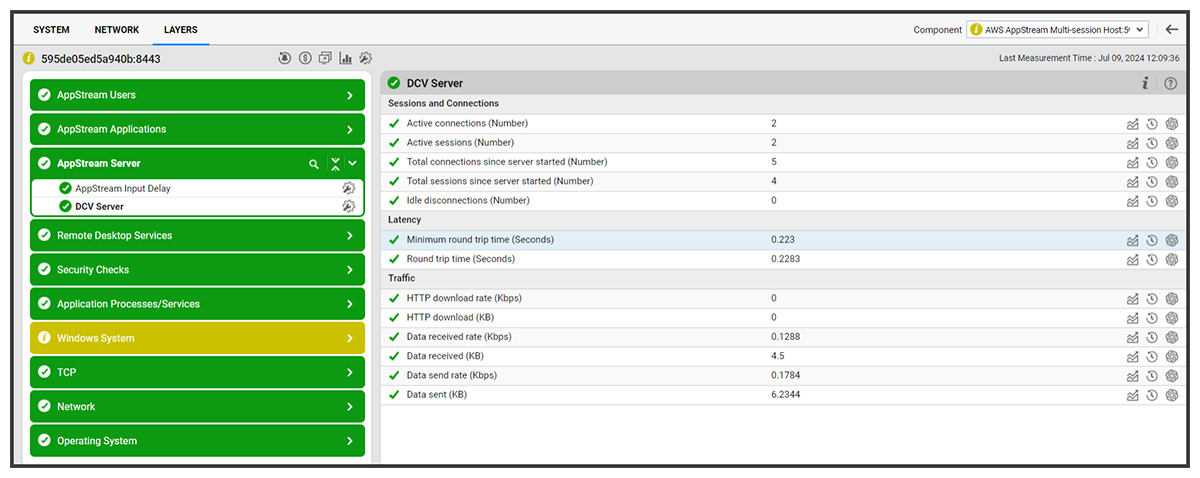
NICE DCV Server Monitoring
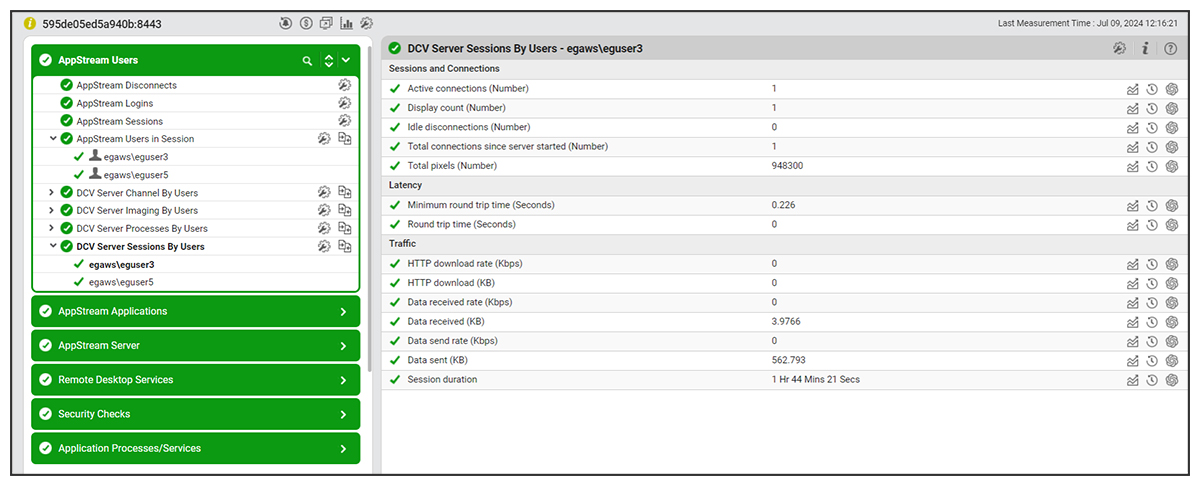
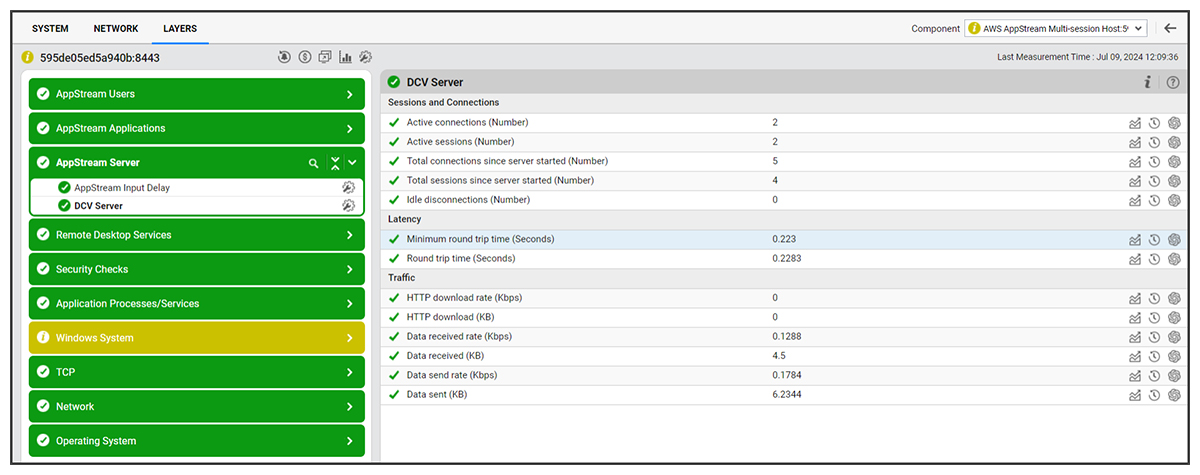
NICE DCV is the remoting protocol used to power AppStream 2.0. The eG agent monitors the performance of the DCV server.
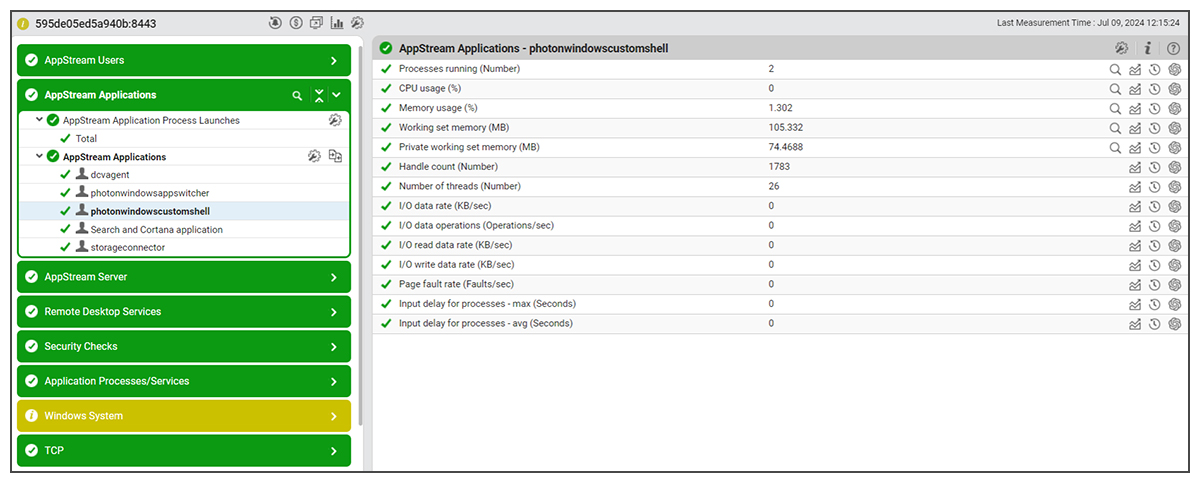
Application Monitoring for AppStream 2.0
eG Enterprise monitors individual AppStream 2.0 applications in real-time and proactively alerts on resource bottlenecks, anomalous behavior and errors. Browser activity monitoring is also supported.
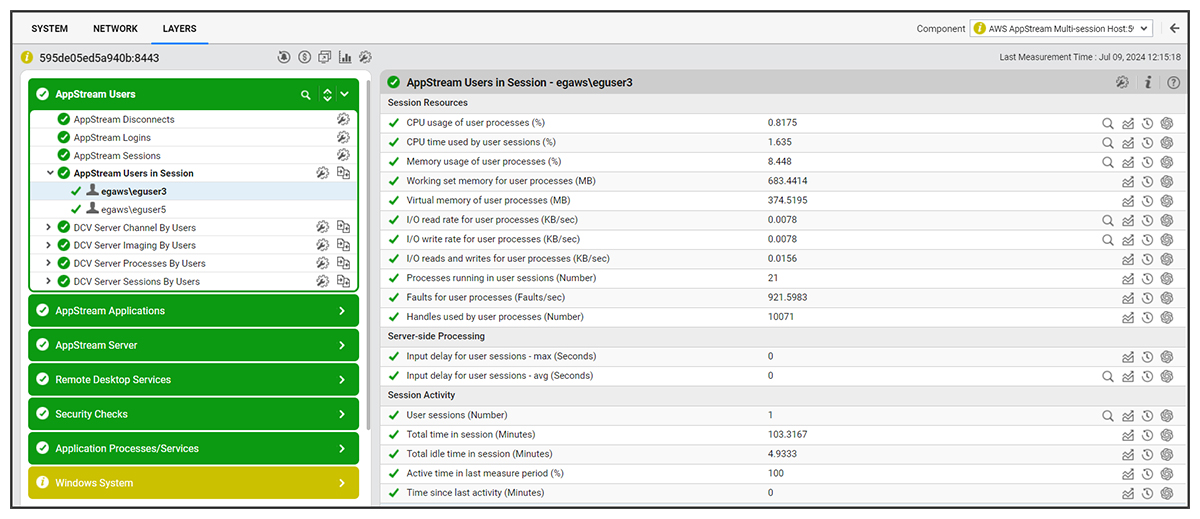
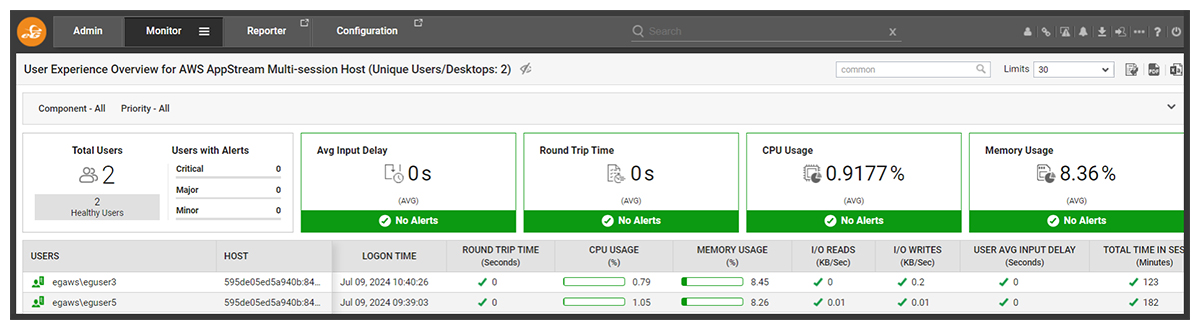
User Monitoring for AppStream 2.0
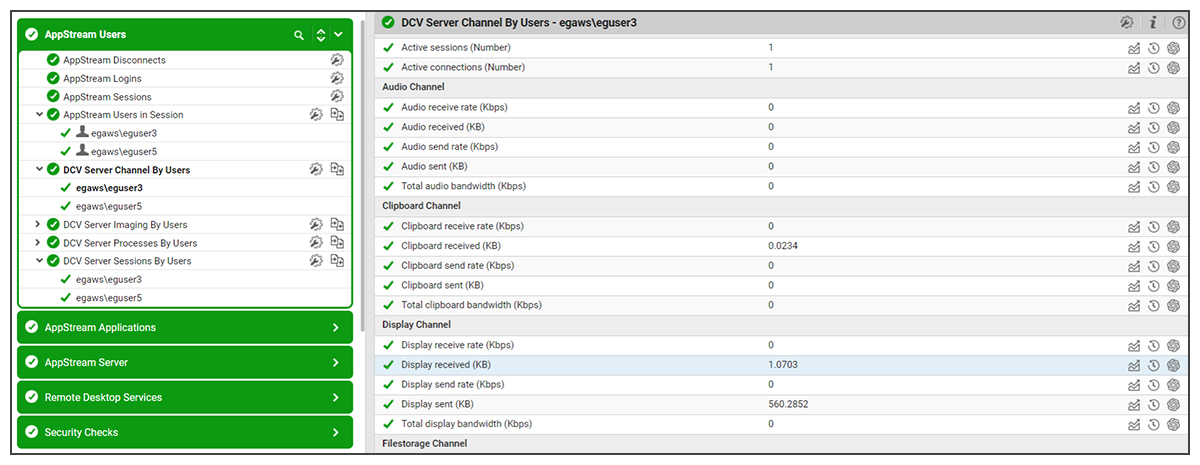
With eG Enterprise you can automatically track users logged in and see their individual resource usage levels alongside key user experience metrics such as input latency.
Synthetic monitoring for AppStream 2.0
This is full supported for multi-session fleets. The dedicated AWS Amazon Logon Simulator works seamlessly for multi-session fleets as well as single session configurations. Beyond this we also support full session simulation natively in the eG Enterprise Universal Simulator.
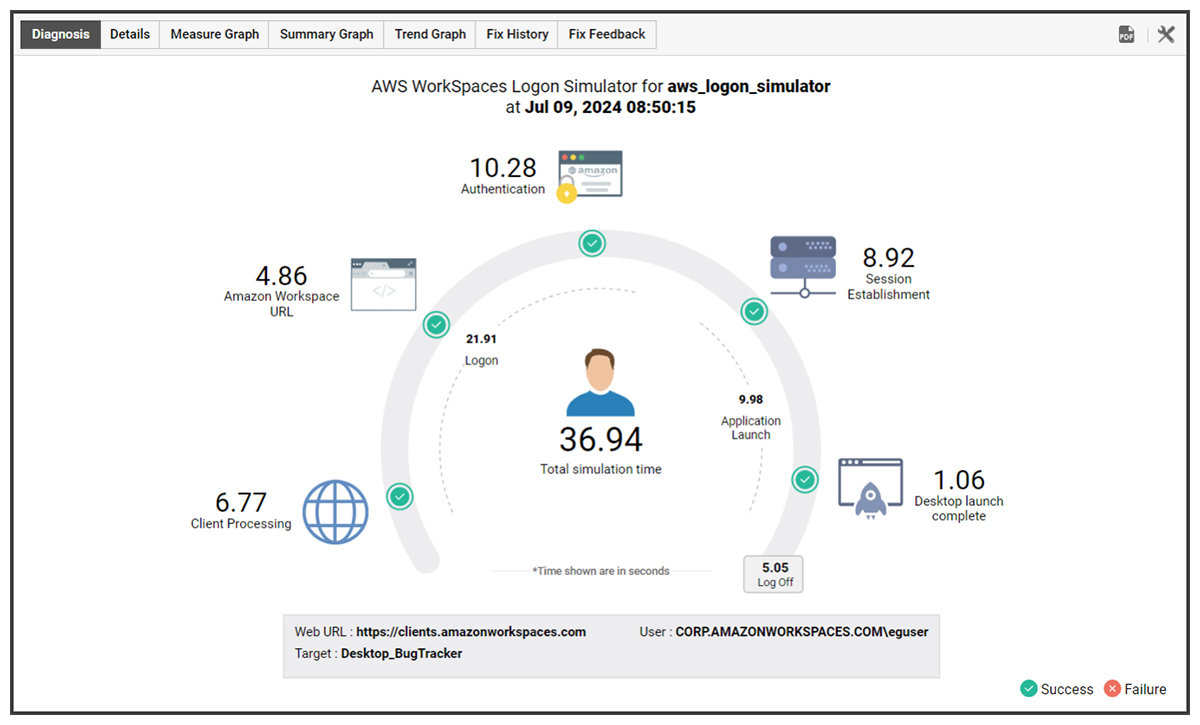
Synthetic monitoring ensures that you can validate and quantitate the performance and user experience of your streamed applications via robot uses to uncover and rectify issues even when no real users are using the systems and before real users encounter issues. Learn more.
Real-time Real-User Experience Monitoring for Multi-Session AppStream 2.0
eG Enterprise offers AIOps-powered real user experience monitoring leveraging auto-discovery technologies to ensure multi-session hosts are detected and monitored automatically. Licensing is based on named or concurrent users not instances to offer cost-effective coverage in multi-session configurations.
Host Monitoring for AppStream 2.0
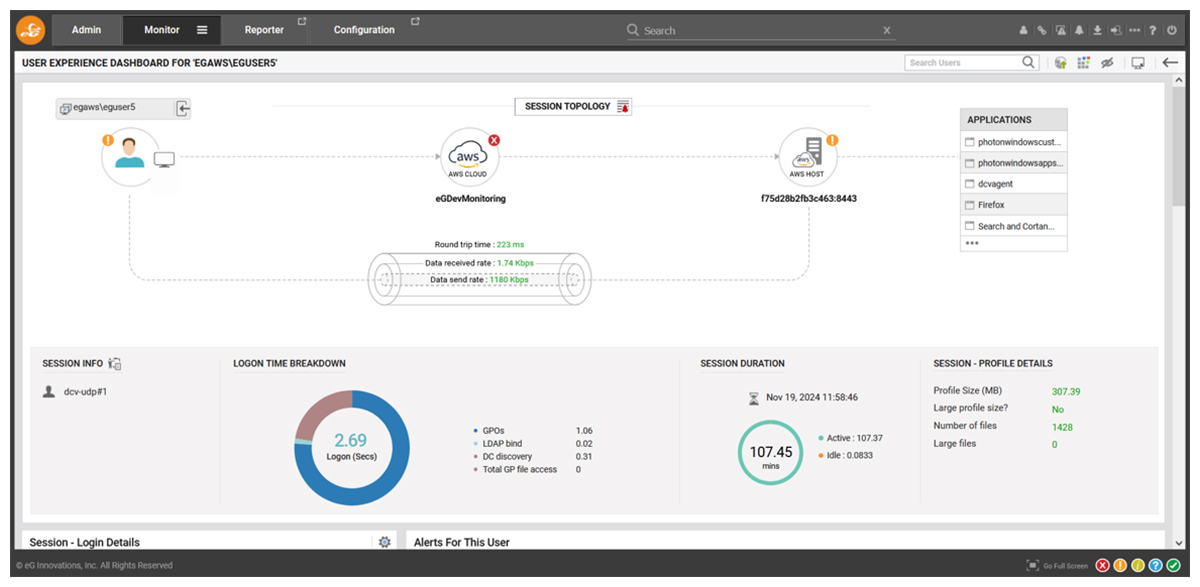
User Experience Dashboards for AppStream 2.0
Per User Session Topology View
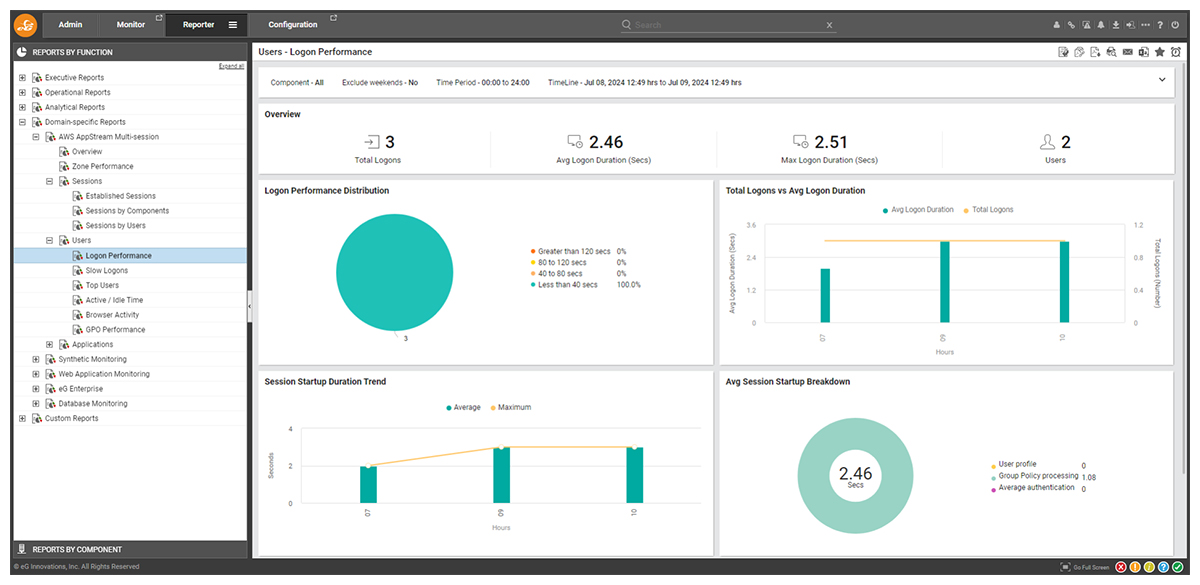
Comprehensive Reporting
Key Metrics to Monitor for Amazon AppStream 2.0
eG Enterprise proactively covers all the key metrics, events and measures needed to proactively monitor AppStream 2.0 sessions, including:
-
OS Resources
- CPU utilization
- GPU utilization
- Memory utilization
- Page file utilization
- Disk busy
- Disk space usage
- OS handles in use
- Blue screen of deaths (if any)
-
Networking
- Bandwidth usage by interface
- Packet discards by interface
- Queue length by interface
- TCP connections established
- TCP segment traffic (in/out)
- TCP retransmissions
-
Host Events
- System events by criticality
- Security events by criticality
- Application events by criticality
- User Input delay
-
Sessions
- Established sessions
- Disconnected sessions
- Active and Idle time
- Logon time and breakdown
- GPO processing
-
Applications
- Concurrent instances running
- Resource usage by application
- Application launch time
- Browser URLs accessed
- Browser resource usage
-
Users
- Round trip time per session
- Bandwidth used by channel type
- Resources used by user with diagnosis
- Frame rate per user session
- Frame processing time
- HTTP download rate per session

eG Enterprise is an Observability solution for Modern IT. Monitor digital workspaces,
web applications, SaaS services, cloud and containers from a single pane of glass.
eG Enterprise is an Observability solution for Modern IT. Monitor digital workspaces,
web applications, SaaS services, cloud and containers from a single pane of glass.