English
 Deutsch
 Espanol
 Français
 Portuguese
 中文
中文 한국어
한국어 日本語
日本語
Citrix Logon Simulator for Virtual Apps and Desktops (XenApp and XenDesktop)
Proactively detect and troubleshoot Citrix logon issues and ensure superior user experience
Start Free Trial Get the free Citrix logon simulator
Trusted by leading companies


Why Citrix logons are slow
For years, slow logons have been the most common complaint of Citrix users. In a recent Citrix survey conducted by DABCC and eG Innovations, 52% of Citrix administrators reported slow login as the top complaint they see coming from users.
For users that log into Citrix sessions, slow logon times can lead to frustration and lower productivity. To ensure great Citrix user experience, administrators must monitor the infrastructure proactively and be alerted to issues in advance, before users notice and complain.


Collecting logon metrics for real user activity is challenging. There are dozens of steps involved in the Citrix logon process and they involve multiple components, such as Citrix StoreFront, Citrix Delivery Controller, Active Directory, Profile server, Citrix XenApp/XenDesktop, the Citrix data store, and more. Identifying exactly what is causing the slowdown can be time-consuming and laborious.
It is also difficult to get a consistent assessment of logon performance because users each have different profiles and policies associated with them. Furthermore, there are times when no users are logging into the Citrix farm. It is important to know at all times if logon is working and whether users will be able to launch their applications and desktops successfully once they logon.
How the Citrix logon simulator works
The eG Enterprise Logon Simulator for Citrix XenApp and XenDesktop is a purpose-built synthetic performance monitoring solution that provides complete visibility into the logon performance of Citrix infrastructures. An integral part of the eG Enterprise performance monitoring suite, the eG Enterprise Logon Simulator for Citrix simulates the exact same process that users execute for Citrix XenApp logon or XenDesktop logon. This tool uses an agentless approach to:
- Simulate a user logging in to a Citrix StoreFront or NetScaler gateway through a web browser
- Review the list of published applications/desktops
- Click on one or more of the selected applications or desktops
- Launch each of them sequentially by initiating a session via Citrix Receiver
- Wait until the application launches successfully
- And finally, log off from the session
Since every simulation tests the entire Citrix delivery infrastructure (NetScaler, StoreFront, Delivery Controller, XenApp Server, etc.). The results represent the cumulative health of all the tiers that support logon.

Using the eG Enterprise Logon Simulator at a client recently revealed periodic slowdowns and drops in application availability that the users were not reporting because by the time they would report it seemed to be working again. By diving in further with eG Enterprise, I was able to identify a storage issue as the root cause and resolve it! I now recommend the eG Enterprise Logon Simulator be used whenever I can. It is like the Bat
Signal for the #CitrixHero!

Test the whole delivery chain (StoreFront, NetScaler, controllers, VDAs)
Since all the tiers of the Citrix environment need to work in concert for the logon operation, simulating logon helps test the availability and readiness of entire Citrix delivery infrastructure. This is also helpful to test if any changes in the Citrix environment (upgrades, patches, configuration changes, etc.) have affected the logon experience. eG Enterprise Logon Simulator for Citrix supports XenApp 6.x and 7.x and XenDesktop 7.x infrastructures.
Key Problems Identified
- Slow session logon
- Session disconnect after logon
- Authentication failure
- Application unavailability
- Slow application enumeration
- Slow application launch
- Session not starting after logon

Run simulations 24x7 from multiple locations
The eG Enterprise Logon Simulator for Citrix allows administrators to test real Citrix XenApp and XenDesktop sessions for simulated users from local or remote endpoints:
- Set up a recurrence for the simulation to test at regular intervals
- Test from multiple endpoints across global and remote locations and compare performance
- Test real-time logon availability and performance 24x7
- Support multiple applications per user for logon simulation
- Support multiple users from the same endpoint for logon simulation

What the simulator measures
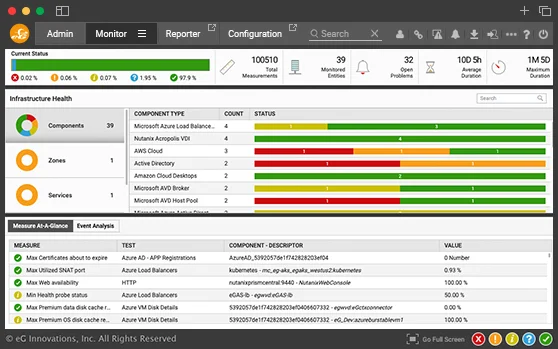
The eG Enterprise Logon Simulator for Citrix provides a host of vital metrics to monitor Citrix logon performance. The problematic step which causes slow logon is clearly highlighted, so administrators can triage the problem immediately. Intuitive dashboards, reports, and intelligent alerts provide full visibility into logon operations for faster issue diagnosis and resolution. Monitor key logon metrics, such as:
- Logon availability
- Logon duration
- Application enumeration availability
- Application enumeration duration
- Application launch availability
- Application launch duration
- Logoff duration, and more

Real-user logon monitoring
- Complement logon simulation by monitoring real Citrix users as they logon to their Citrix infrastructure.
- Identify the cause of slow logon by obtaining a breakdown of every step of the logon process—authentication, profile loading, GPO processing, etc.
- Get actionable data to troubleshoot issues and optimize user experience.
eG Enterprise helps pinpoint the cause of slowness, where the problem is, which users are experiencing issues, and whether it is a Citrix issue or a problem in the supporting infrastructure.