English
 Deutsch
 Espanol
 Français
 Portuguese
 中文
中文 한국어
한국어 日本語
日本語


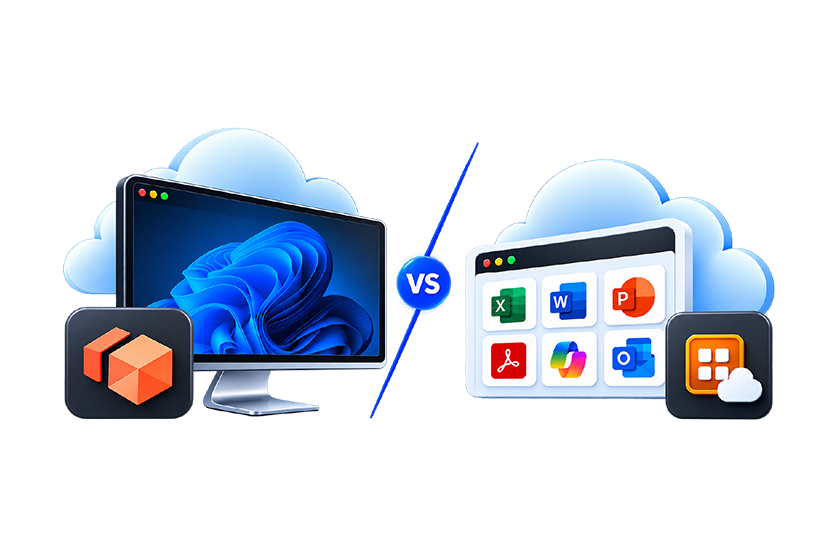
If you’re researching AWS desktop virtualization and application delivery services, it is likely that you have come across Amazon WorkSpaces and Amazon WorkSpaces Applications. While the names sound similar, these two AWS services address different requirements. Amazon WorkSpaces provides a complete cloud desktop, while Amazon WorkSpaces Applications focuses on securely delivering individual applications through AWS-managed application streaming. Amazon WorkSpaces Applications is also the service formerly known as Amazon AppStream 2.0.
Understanding the differences between these services is important because choosing the wrong approach can increase costs, complexity, and management overhead. In this guide, we’ll explain what Amazon WorkSpaces Applications is, compare it with Amazon WorkSpaces, review common use cases, examine pricing considerations, and help you determine which AWS solution best fits your requirements.
What is Amazon WorkSpaces Applications?
Amazon WorkSpaces Applications is a fully managed application streaming service from AWS. It enables organizations to stream desktop applications to users without requiring applications to be installed on endpoint devices. AWS manages the underlying infrastructure, scales resources automatically, and provides access through supported web browsers or the WorkSpaces Applications client.
Amazon WorkSpaces Applications:
- Delivers secure application streaming.
- Allows organizations to transform traditional desktop applications into cloud-delivered services without rewriting code.
- Supports browser-based access to applications from a wide range of devices.
- Keeps applications and data within AWS while streaming only encrypted pixels to end users.
- Automatically scales infrastructure based on demand.
- Supports both application streaming and non-persistent virtual desktop delivery.
For organizations familiar with Amazon AppStream 2.0, the underlying technology remains the same. AWS has simply repositioned the service within the End User Computing portfolio and rebranded it as Amazon WorkSpaces Applications.
What is Amazon WorkSpaces Applications Multi-Session?
Multi-session Amazon WorkSpaces Applications allows multiple users to share a single streaming instance while accessing centrally managed Windows applications through a web browser or native client. Instead of assigning a dedicated instance to each user, Amazon WorkSpaces Applications can host multiple concurrent user sessions on the same infrastructure, helping organizations maximize resource utilization and reduce application delivery costs.
This approach is particularly well suited for common business applications, call center environments, task workers, education, and other scenarios where many users require access to the same applications. AWS provides controls for managing session density, monitoring resource consumption, and balancing user experience with cost efficiency. Administrators can also use multi-session fleets to streamline operations, apply updates, and maintain application environments centrally.
Multi-session WorkSpaces Applications is well-suited as a cloud alternative to many on-premises use cases that implemented on-prem Citrix XenApp (CVAD), or apps hosted via Microsoft RDS, as well as CAD-in-a browser like options.
We previously wrote an article on how to make the decision to choose to use multi-session fleets for Amazon WorkSpaces Applications, see: Amazon AppStream 2.0 Multi-session Service Monitoring | eG Innovations (note this article references WorkSpaces Applications’ previous name AppStream 2.0).
What is Amazon WorkSpaces?
Amazon WorkSpaces is AWS’s Desktop-as-a-Service (DaaS) offering. Rather than delivering individual applications, it provides users with an entire Windows or Linux desktop environment hosted in AWS. Users can access their cloud desktop from supported Windows, macOS, web, tablet, and mobile clients.
A typical Amazon WorkSpaces deployment gives users:
- A full desktop environment.
- Personal applications and settings.
- User-specific storage.
- Access to corporate resources through a managed virtual desktop experience.
In simple terms, Amazon WorkSpaces delivers a complete desktop, while Amazon WorkSpaces Applications delivers specific applications.
Why Organizations Compare Amazon WorkSpaces and Amazon WorkSpaces Applications
Many IT teams evaluating AWS end-user computing services are trying to answer questions such as:
- Should we deploy virtual desktops or application streaming?
- Do users need a full desktop or just access to business applications?
- Which AWS solution is best for contractors and temporary workers?
- Can we reduce costs by streaming applications instead of provisioning a complete desktop?
- Which AWS service provides the best experience for remote workers?
- How can we modernize legacy Windows application delivery?
The answer depends largely on user requirements. If users only need one or two applications, providing a complete desktop may be unnecessary. On the other hand, users who spend their entire day working in multiple applications often benefit from a full desktop environment.
Amazon WorkSpaces vs Amazon WorkSpaces Applications- A Comparison Table
| Feature | Amazon WorkSpaces | Amazon WorkSpaces Applications |
| Primary purpose | Cloud desktop (DaaS) | Application streaming |
| Containers | vSphere Kubernetes Service (VKS) | Native LXC |
| HA | Yes | Yes |
| Live Migration | vMotion | Live Migration |
| DRS | Yes | Limited equivalent |
| Fault Tolerance | Yes | No direct equivalent |
| NSX | Yes | Basic SDN |
| vSAN | Yes | Ceph/ZFS plus others (see FAQ for details) |
| Licensing | Subscription | Open source + support subscriptions |
| User experience | Full Windows or Linux desktop | Individual streamed applications |
| Desktop persistence | Persistent desktop environment | Application streaming and non-persistent desktop options |
| Best suited for | Full-time desktop users | Application delivery, seasonal users, contractors |
| Browser access | Supported | Supported |
| Infrastructure management | AWS managed | AWS managed |
| Automatic scaling | Available | Available |
| Application installation on endpoint | No | No |
| SaaS enablement for existing Windows applications | No | Yes |
| Non-persistent desktop delivery | Initially via WorkSpaces Pools, but this is being deprecated. See: Amazon WorkSpaces Pools end of support – Amazon WorkSpaces. Users are advised to migrate to Amazon WorkSpaces Applications. | Yes |
Quick Decision Guide – Amazon WorkSpaces or WorkSpaces Applications
| If you need… | Recommended AWS service |
| A complete Windows desktop in AWS | Amazon WorkSpaces |
| Persistent user desktops | Amazon WorkSpaces |
| Physical desktop replacement for employees | Amazon WorkSpaces |
| Secure browser-based access to individual applications | Amazon WorkSpaces Applications |
| Application streaming without local installation | Amazon WorkSpaces Applications |
| SaaS delivery of existing Windows applications | Amazon WorkSpaces Applications |
| Temporary access for contractors or partners | Amazon WorkSpaces Applications |
| Non-persistent desktop environments | Amazon WorkSpaces Applications |
| Highly variable usage patterns with consumption-based scaling | Amazon WorkSpaces Applications |
| Controlled access to a single line-of-business application | Amazon WorkSpaces Applications |
Amazon WorkSpaces Applications Pricing
One of the biggest advantages AWS highlights for Amazon WorkSpaces Applications is its flexible consumption-based pricing model. Unlike traditional application virtualization or on-premises VDI solutions that often require significant upfront infrastructure investment, Amazon WorkSpaces Applications operates on a pay-as-you-go model with no upfront investment and no long-term commitment.
AWS’s pricing for Amazon WorkSpaces Applications that customers pay for:
- The streaming resources they provision.
- A monthly user fee in certain Microsoft Windows deployment scenarios.
- Supporting resources such as fleet instances, image builder instances, and app block builder instances where applicable.
Always-On Fleets
Always-On fleets keep streaming instances running continuously so applications and desktops can launch immediately when users connect. These instances are charged while running, even when users are not actively streaming.
Typical scenarios include:
- Business-critical applications.
- Contact centers.
- Predictable workloads.
- Users requiring instant access.
On-Demand Fleets
With On-Demand fleets, instances run when users stream applications or desktops. Unused streaming instances remain in a stopped state until needed. Users may experience a brief startup delay while a streaming instance launches.
Typical scenarios include:
- Contractors.
- Seasonal workers.
- Training environments.
- Applications used intermittently.
Elastic Fleets
AWS also offers Elastic fleets, where WorkSpaces Applications manages the pool of streaming resources. Charges apply only for the duration of streaming sessions, with billing based on actual usage.
Typical scenarios include:
- Large-scale application delivery.
- Unpredictable workloads.
- Organizations seeking simplified operational management
Multi-session Fleet Instances
Multi-session functionality is supported only for Windows configurations of Always-On and On-Demand fleets. Multi-session instances are charged on an hourly basis, regardless of the number user sessions running per instance. Charges include compute, storage, and network traffic used by the streaming protocol.
These instances can prove particularly cost-effective for organization looking to deploy applications at scale.
Factors That Influence Cost
The total cost of an Amazon WorkSpaces Applications deployment typically depends on:
- Fleet type.
- Instance size.
- Operating system.
- User activity levels.
- Number of users.
- Regional deployment choices.
Because WorkSpaces Applications supports automatic scaling, organizations can align costs more closely with actual application consumption than traditional fixed-capacity environments.
For the latest pricing information, see the official AWS page: Amazon WorkSpaces Applications Pricing.
Non-Persistent Desktops: The Capability Many Buyers Overlook
Many organizations comparing Amazon WorkSpaces versus Amazon WorkSpaces Applications are focused on application streaming. However, AWS also provides WorkSpaces Applications as a platform for delivering non-persistent virtual desktops.
A non-persistent desktop provides users with a fresh desktop each time the user signs in. Unlike a traditional persistent desktop, user changes are not intended to become a permanent part of the environment. This simplifies management and helps ensure consistency.
For many organizations, non-persistent desktops provide a useful middle ground between application streaming and full Desktop-as-a-Service.
Contact Centers
Call center agents often require access to a standardized desktop containing a small number of business applications.
Benefits include:
- Consistent desktop experiences.
- Simplified image management.
- Faster onboarding.
- Lower support overhead.
Training and Education Labs
Educational institutions and corporate training departments can provide identical environments for every participant.
Benefits include:
- Automatic reset between sessions.
- Consistent training experiences.
- Reduced administration.
- Faster classroom deployment.
Temporary and Seasonal Workers
Retail organizations, healthcare providers, financial institutions, and government agencies frequently need to onboard large numbers of temporary workers.
Non-persistent desktops simplify:
- User provisioning.
- Application access.
- Security management.
- User offboarding.
Shared Device Environments
Reception desks, factory floors, warehouses, and frontline worker deployments often involve multiple users sharing a common device.
A non-persistent desktop helps ensure:
- Users start with a clean workspace.
- Settings are not inherited from previous users.
- Files are not left behind.
- Administration remains simple.
Software Demonstrations and Trials
Software trials and SaaS enablement scenarios are also well suited to WorkSpaces Applications. Organizations can deliver temporary desktop environments for evaluations, demonstrations, proof-of-concepts, and customer trials.
Contractor and Third-Party Access
Organizations can provide temporary desktop environments for consultants, suppliers, and business partners without maintaining long-term desktop instances.
This approach can simplify lifecycle management and reduce administrative overhead.
When Should You Choose Amazon WorkSpaces?
Amazon WorkSpaces is generally the better choice when users need a complete desktop environment and a familiar workplace experience.
Remote and Hybrid Employees
Organizations often deploy Amazon WorkSpaces to provide employees with a fully managed cloud desktop that can be accessed securely from virtually anywhere. Amazon WorkSpaces is increasingly being adopted by organization moving away from traditional on-prem VDI from vendors such as Citrix and VMWare/Omnissa.
Bring Your Own Device (BYOD) Programs
Amazon WorkSpaces allows users to access corporate resources from personal devices while keeping the desktop environment hosted within AWS. This is a common scenario in higher education for delivering desktops to students working on their own devices.
Persistent User Environments
Employees who require multiple applications, personalized settings, documents, and long-term workspaces typically benefit from a dedicated virtual desktop.
Desktop Modernization Projects
Organizations replacing physical desktops or traditional VDI environments often evaluate Amazon WorkSpaces as a cloud-based desktop alternative.
When Should You Choose Amazon WorkSpaces Applications?
Amazon WorkSpaces Applications is designed for organizations that need to deliver applications or temporary desktop environments rather than full personalized desktops.
Deliver Legacy Windows Applications
For many organizations Amazon WorkSpaces Applications provides them with the ability to deliver existing desktop applications as cloud-based services without requiring application rewrites.
Enable Secure Application Access
Users access applications through a browser or client while applications and data remain within AWS infrastructure.
Support Contractors and Temporary Workers
Instead of providing a complete desktop environment, organizations can deliver only the specific applications users require or provide temporary non-persistent desktops.
Modernize Software Delivery
Independent software vendors (ISVs) can deliver traditional desktop software using a SaaS-style model without redesigning or rebuilding their applications. AWS identifies SaaS transformation as a key use case. AWS offer NVIDIA GPU powered options for WorkSpaces Applications that support the delivery of professional graphics applications like CAD/CAM, 3D modeling, GIS, and video editing.
Education and Training Environments
Learning environments are also a common use case for WorkSpaces Applications because applications can be delivered quickly to users regardless of device type.
Security and Data Protection
Amazon WorkSpaces Applications can also provide customers with improved security above many other methods of application delivery:
- Applications and data remain in AWS.
- Only encrypted pixels are streamed to users.
- Applications can run within private VPC environments.
- Microsoft Active Directory integration is supported.
- Identity federation can be used with enterprise authentication systems.
These capabilities make Amazon WorkSpaces Applications particularly attractive for organizations that need to protect intellectual property, sensitive data, or regulated applications.
Monitoring Amazon WorkSpaces and Amazon WorkSpaces Applications
Whether you deploy Amazon WorkSpaces, Amazon WorkSpaces Applications, or a combination of both, maintaining a high-quality end-user experience is critical.
IT teams need visibility into:
- Application launch performance.
- User logon times.
- AWS infrastructure dependencies.
- Amazon DCV protocol performance.
- Authentication bottlenecks.
- Network latency.
- End-user experience.
- Resource consumption trends.
In recent months, Amazon have expanded the metrics they expose and the visibility native tools can offer administrators. To learn more about the native monitoring provided for WorkSpaces Applications, see: Amazon WorkSpaces Applications In-Console Monitoring.
eG Enterprise provides end-to-end observability with real user monitoring and synthetic monitoring for AWS digital workspaces, enabling IT teams to monitor user experience, application performance, infrastructure health, service dependencies, and user logon performance across Amazon WorkSpaces and Amazon WorkSpaces Applications deployments. Dashboards, alerts and reports are provided out-of-the-box avoiding the need to build your own or use query languages.
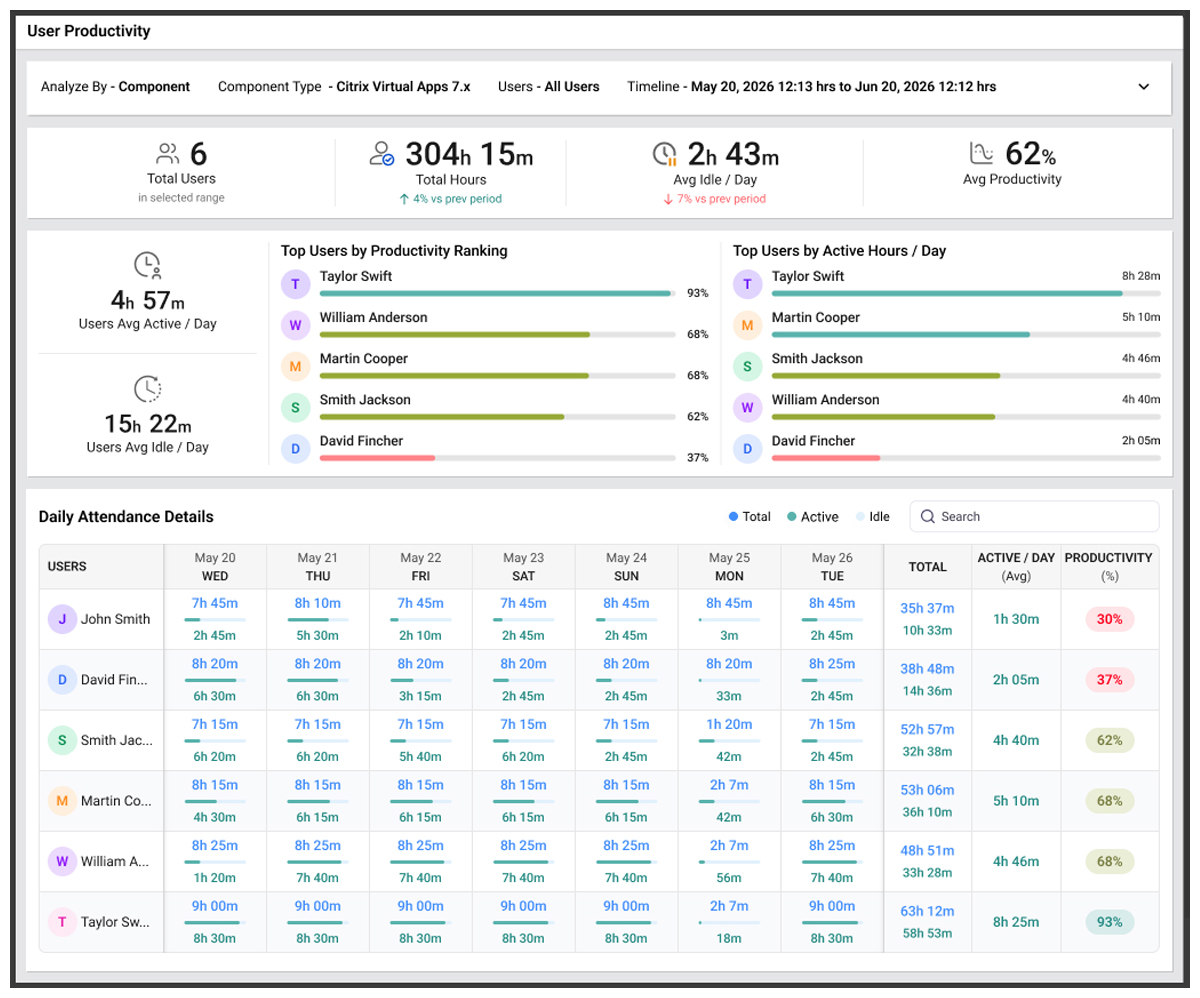
Purpose-built for both WorkSpaces and WorkSpaces Applications, eG Enterprise includes full support for monitoring Amazon WorkSpaces Applications multi-session fleets which often scale to many thousands of users (see: Amazon AppStream 2.0 Multi-session Service Monitoring | eG Innovations for details).
With automated root-cause diagnosis and full-stack visibility, IT teams can quickly identify whether performance problems originate in AWS infrastructure, application delivery layers, authentication systems, networking, or end-user devices. Find out what eG Enterprise offers for WorkSpaces and WorkSpace Applications, see: Amazon WorkSpaces Monitoring Software | Enterprise Monitoring Guide 2026.
 eG Enterprise is a verified partner solution. eG Innovations holds AWS Digital Workplace Competency status — one of a small number of observability vendors to have done so — and the eG Enterprise SaaS platform is certified against the AWS Well-Architected Framework. You can find eG Enterprise Cloud a SaaS offering on the AWS marketplace, here. For on-premises and self-hosted cloud deployment options, please contact us directly.
Final Verdict
- Amazon WorkSpaces and Amazon WorkSpaces Applications serve different but complementary roles within the AWS End User Computing portfolio.
- Amazon WorkSpaces provides a complete cloud desktop experience for users who require an always-available workspace.
- Amazon WorkSpaces Applications, formerly Amazon AppStream 2.0, provides secure application streaming and non-persistent desktop delivery, enabling organizations to publish applications, modernize Windows software delivery, support contractors and seasonal workers, and reduce the overhead associated with managing large numbers of personalized desktops.
For most organizations, the decision ultimately comes down to a simple question: do your users need a complete desktop, a specific application, or a temporary workspace?
If the answer is a complete desktop, Amazon WorkSpaces is likely the best fit. If the goal is delivering applications, supporting non-persistent desktop workloads, enabling SaaS-style application delivery, or providing access for temporary users, Amazon WorkSpaces Applications is often the better choice. Many organizations ultimately deploy both services together to balance user experience, security, operational efficiency, and cost within their AWS digital workspace strategy.
Looking to Monitor Amazon WorkSpaces or WorkSpaces Applications?
If you are looking to monitor or troubleshoot either WorkSpaces or WorkSpaces Applications (or both!), then do consider the out-of-the-box ready-made monitoring solution provided by eG Enterprise. To see it against your own Amazon deployment, eG Innovations offers a free trial and a live demo with an engineer.
eG Enterprise is an Observability solution for Modern IT. Monitor digital workspaces,
web applications, SaaS services, cloud and containers from a single pane of glass.
Frequently Asked Questions
Yes. Amazon WorkSpaces Applications is the service formerly known as Amazon AppStream 2.0.
No. Users can access applications through supported web browsers or through the WorkSpaces Applications client.
Yes. Amazon WorkSpaces Applications supports non-persistent virtual desktops in addition to application streaming capabilities. Those looking to deploy persistent desktops can use Amazon WorkSpaces.
Amazon WorkSpaces Applications is specifically designed for secure application streaming and application delivery.
Amazon WorkSpaces is AWS's Desktop-as-a-Service (DaaS) offering and is designed to provide full cloud desktops.
Yes. Applications can be accessed through supported HTML5-capable web browsers.
Yes. AWS actively promote WorkSpaces Applications as a solution to transform traditional desktop applications into SaaS-style offerings without requiring code changes.
Yes. Vendor-agnostic monitoring platforms such as eG Enterprise can provide a single console solution to monitor all you digital workspace technologies in the same way.