How to Monitor the AWS Elastic Kubernetes Service Cluster Using eG Enterprise?
To monitor the AWS Elastic Kubernetes Service cluster using eG Enterprise, you need to first manage it.
eG Enterprise does not automatically discover the AWS Elastic Kubernetes Service cluster. To manage the cluster therefore, you need to manually add it to the eG Enterprise system using the eG admin interface. For this, follow the steps below:
- Login to the eG admin interface.
-
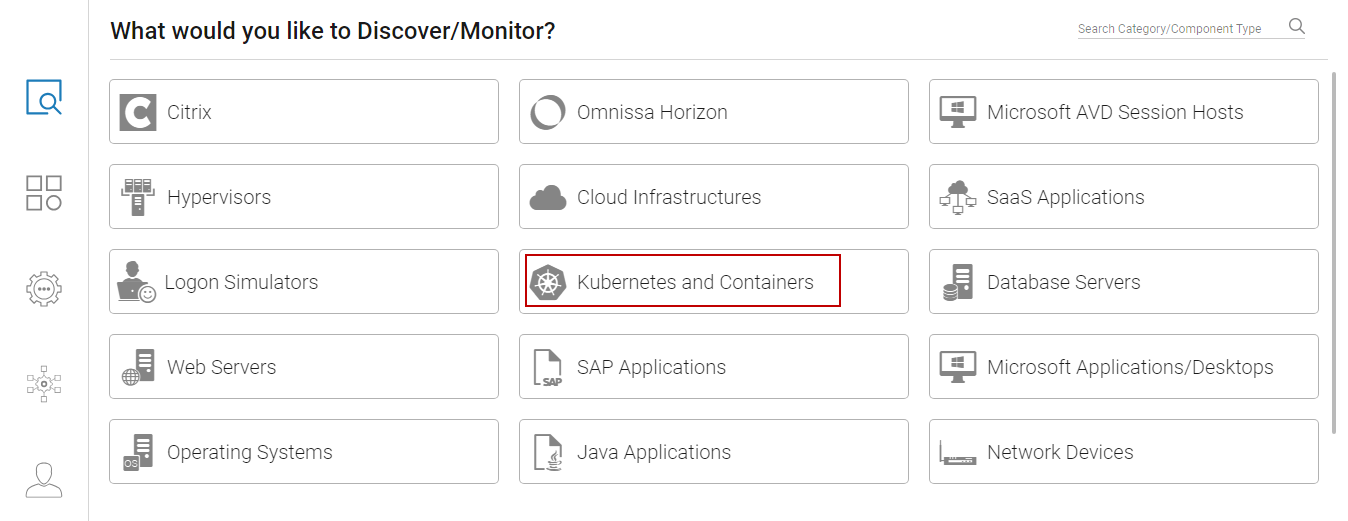
Figure 1 then appears prompting you to pick what you want to monitor. Select Kubernetes and Containers from Figure 1.
-
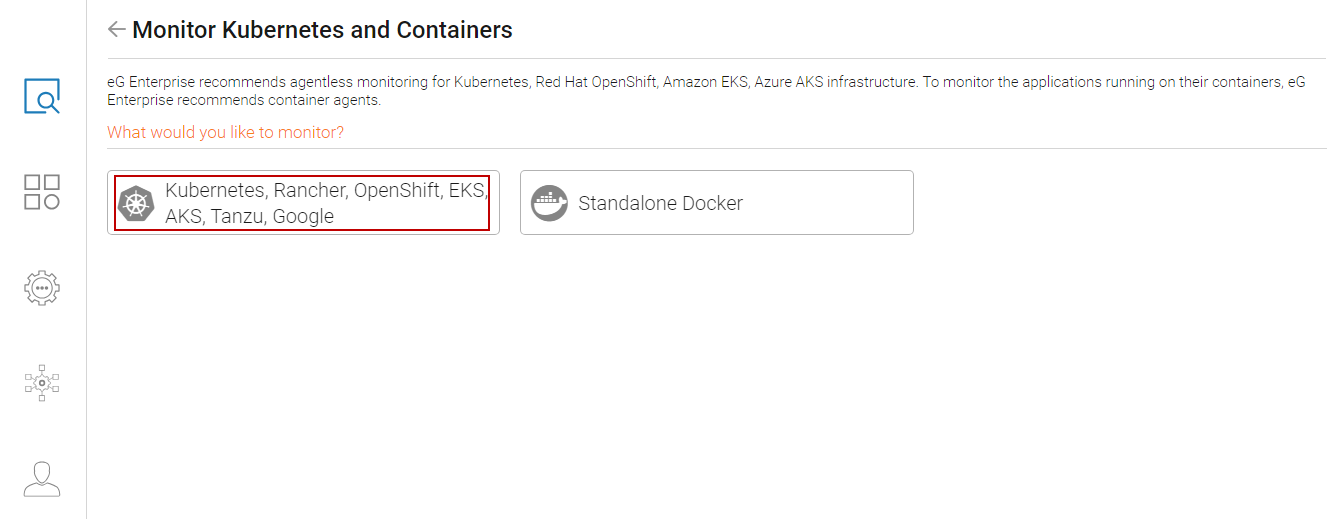
eG Enterprise monitors AWS Elastic Kubernetes Service clusters in an agentless manner. To monitor the applications running on its containers, eG Enterprise recommends container agents as shown in Figure 2. Select Kubernetes, Rancher, OpenShift, EKS, AKS, Tanzu, Google from Figure 2.
-
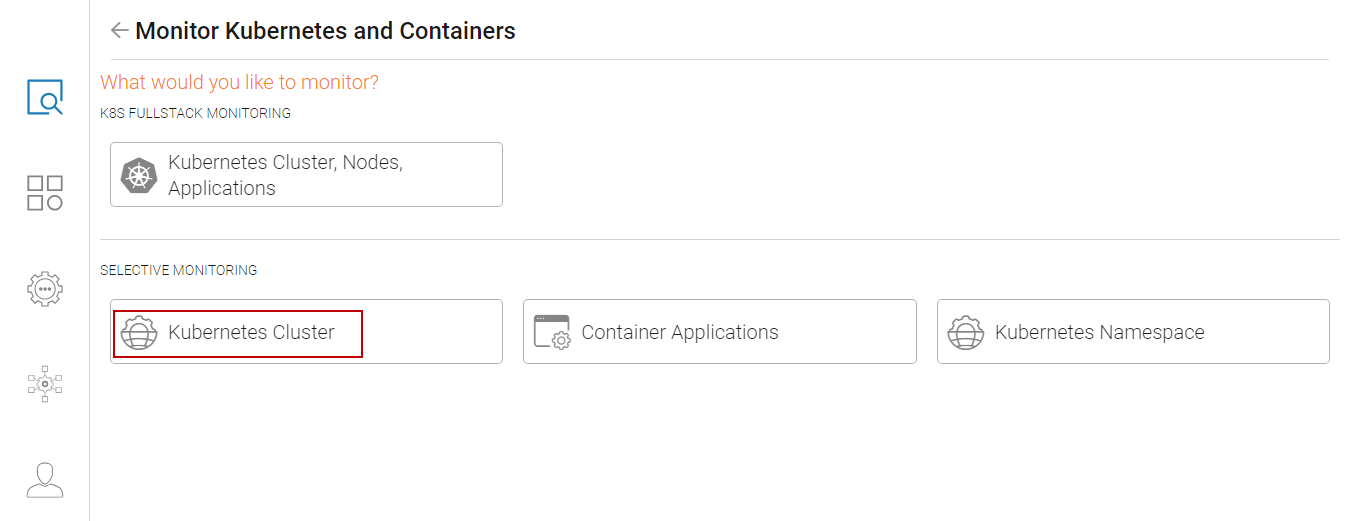
This will invoke Figure 3. Select Kubernetes Cluster from Selective Monitoring section.
-
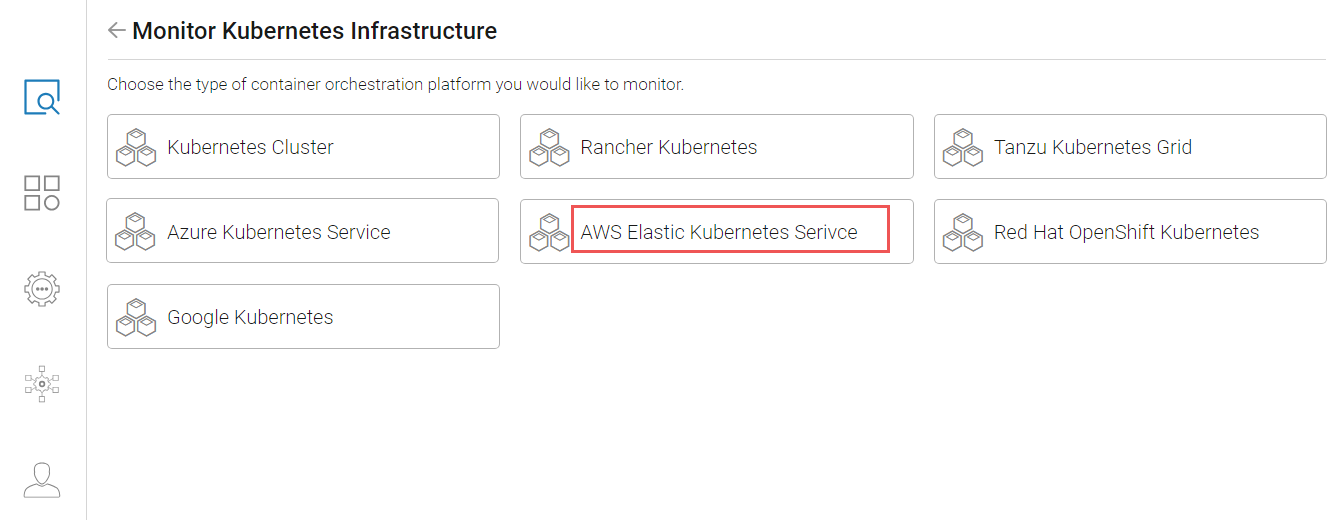
This will invoke Figure 4. Select AWS Elastic Kubernetes Service as container orchestration type.
-
This will invoke a page, using which you can configure the details of the AWS Elastic Kubernetes Service cluster you want to monitor.
-
In that page, specify the following:
-
Provide a unique NICK NAME for the AWS Elastic Kubernetes Service cluster you want to monitor.
- Specify the PORT at which the cluster listens.
- The eG agent requires an authentication bearer token to access the Kubernetes API, run API commands on the cluster, and pull metrics of interest. The steps for generating this token have been detailed in
- Specify the IP address of the Kubernetes API against LOAD BALANCER / MASTER NODE IP text box. To determine the IP address of the Kubernetes API, follow the steps detailed in
- Select the remote agent from the REMOTE AGENT list.
-
Finally, click the Update button to add the component to eG Enterprise.
-