Enabling / Disabling Custom Schedule
When the eG agent, manager, and the component type operate in different time zones, administrators may find it difficult to track and correlate the measures reported by a test. This is because the component being monitored might reside in a time zone that differs from that of the agent and the manager, making it challenging to align metric timestamps accurately.
The Enable / Disable Custom Schedule feature helps overcome this issue. By enabling this feature, you can schedule test execution for a specific or custom time period. This ensures that the test runs according to the time zone in which the component type exists. When the custom schedule is enabled, additional parameters appear on the Specific Test Configuration page, where you can specify the time zone and the custom time period during which the test should be executed.
To Enable / Disable Custom Schedule, do the following:
-
Click on the
 icon available in the Admin tab. Select the Enable / Disable Custom Schedule option from the Tests menu of the Agents tile.
 -
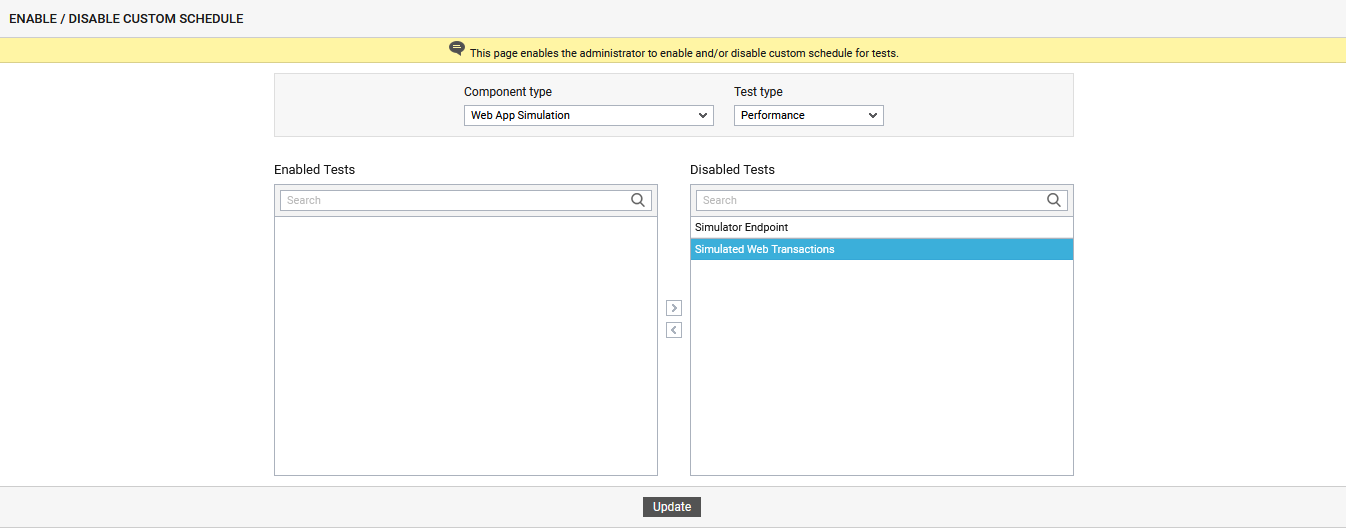
From Figure 1 that appears, an administrator has to first choose the type of component from the Component type list box and the type of test from the Test type list box. Remember that the Component type list box lists only those component-types that have been managed by eG Enterprise.
-
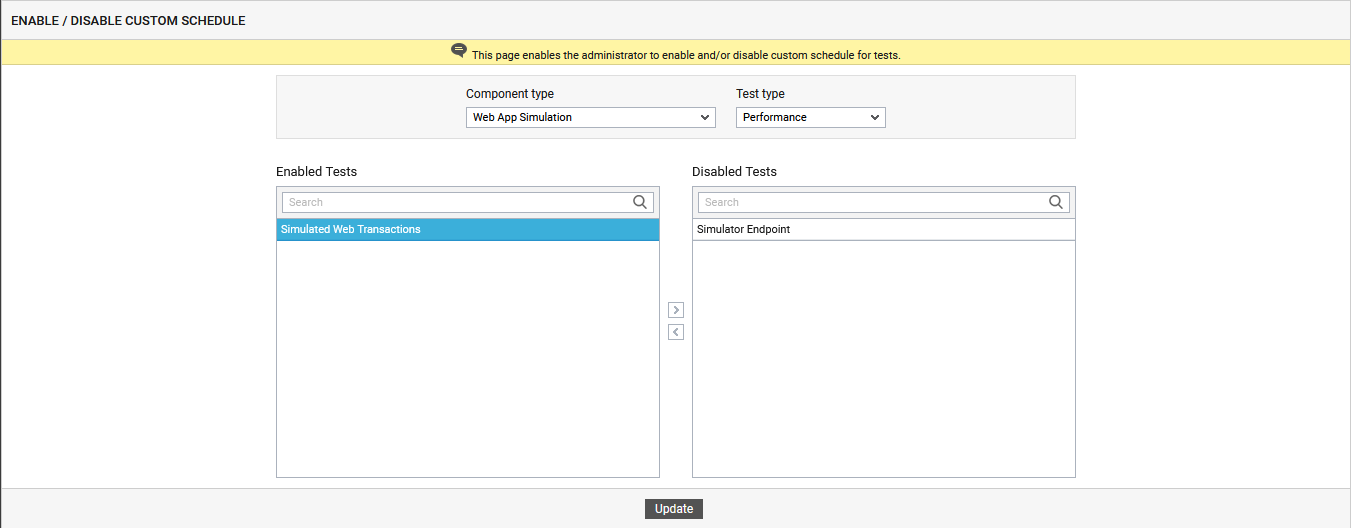
To enable custom schedule for one/more tests, select the tests from the Disabled Tests list box and click on the < button. This will transfer the selection to the Enabled Tests list, as shown by Figure 2.
-
Finally, click the Update button to save the changes.
-
To disable custom schedule for one/more tests, pick the tests from the Enabled Tests list, click the > button in Figure 2, and click the Update button.
-
After enabling the custom schedule for a test, additional details must be provided on the Specific Test Configuration page to ensure that the test is executed during the specified time period.