Managing the IBM App Connect Enterprise
The eG Enterprise cannot automatically discover the IBM App Connect Enterprise. This implies that you need to manually add the component for monitoring. Remember that the eG Enterprise automatically manages the components that are added manually. To add the target server, do the following:
- Log into the eG administrative interface.
-
eG Enterprise cannot automatically discover IBM App Connect Enterprise. You need to manually add the component using the Components page (see Figure 1 ) that appears when the Infrastructure -> Components -> Add/Modify menu sequence is followed. Remember that components manually added are managed automatically.
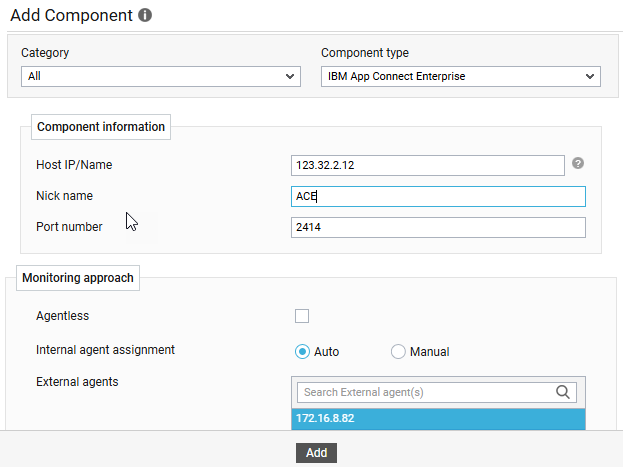
- Specify the Host IP and the Nick name of the IBM App Connect Enterprise in Figure 1. The IBM App Connect Enterprise is monitored in both Agentless and Agent based manners. Then click the Add button to register the changes.
-
Once the IBM App Connect Enterprise is added successfully, you will be again redirected to the Components at a Glance page (see Figure 2). Using the options provided, you can modify, unmanage or delete the newly added component. In addition, you can also configure the tests.

-
To collect the performance metrics, you may need to manually configure the tests that are mapped to the IBM App Connect Enterprise component. To configure the tests that need manual configuration, click on the
 icon. This will lead you to the Specific Test Configuration page (see Figure 3) where the unconfigured tests for the IBM App Connect Enterprise component will be listed in the Unconfigured Tests list box.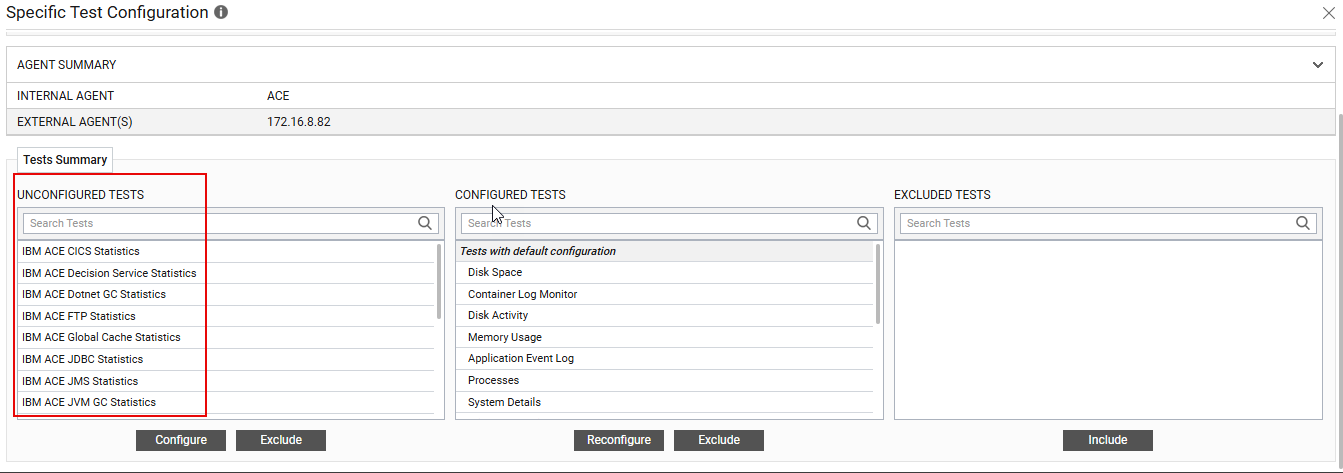
Figure 3 : List of unconfigured tests for IBM App Connect Enterprise
-
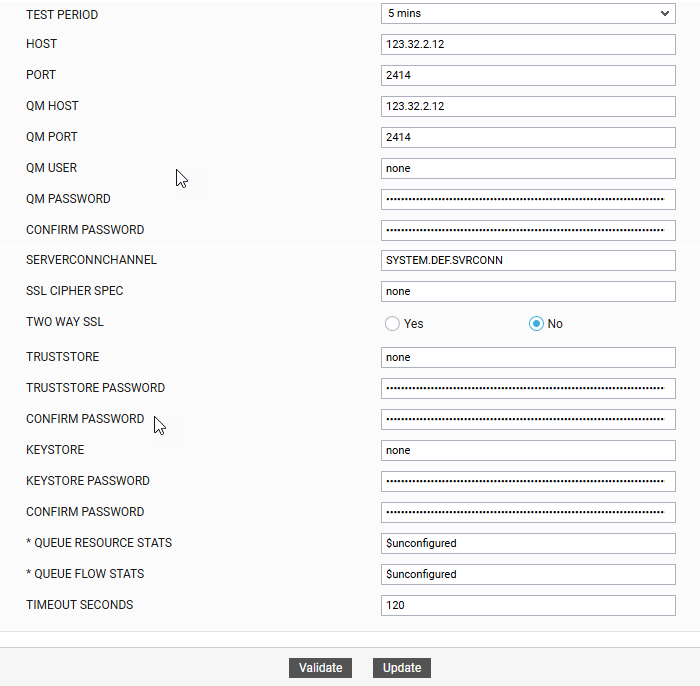
Click on any test in the list of unconfigured tests in Figure 3. For instance, click on the IBM ACE FTP Statistics test to configure it. In the page that appears, specify the parameters as shown in Figure 4 and click the Update button to configure the test.
-
Once all the tests are configured, switch to the Monitor tab to view the performance metrics reported by the tests.