Selective Kubernetes Monitoring
eG Enterprise monitoring model also offers selective monitoring which allows users to focus on monitoring specific Kubernetes components such as clusters, nodes, or individual namespaces separately. Users can choose either approach based on their preference and monitoring focus. The Kubernetes cluster and its associated nodes will each consume one Premium License, while container applications will consume a separate Container App License.
Now, to start monitoring, there are certain prerequisites that need to be fulfilled, and the steps to set up auto-discovery and manage the monitored components are provided in this section.
If you want to monitor only Worker/Master node then select Selective Monitoring, below steps describe how to set up Selective Monitoring.
To set up Selective Monitoring, follow the steps below (For example we are taking Container Applications):
-
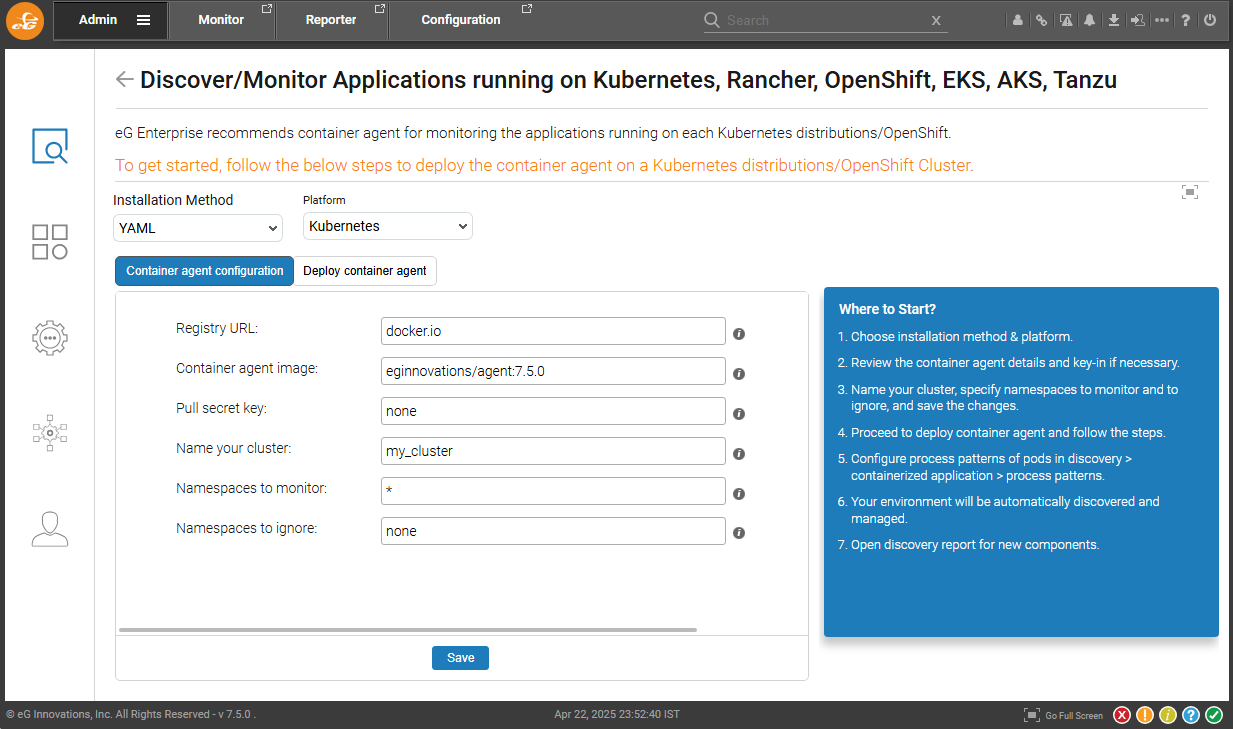
On the next page, choose installation method and Kubernetes in Platform. This is shown in Figure 1.
-
Review the container details and specify the cluster and namespace details.
-
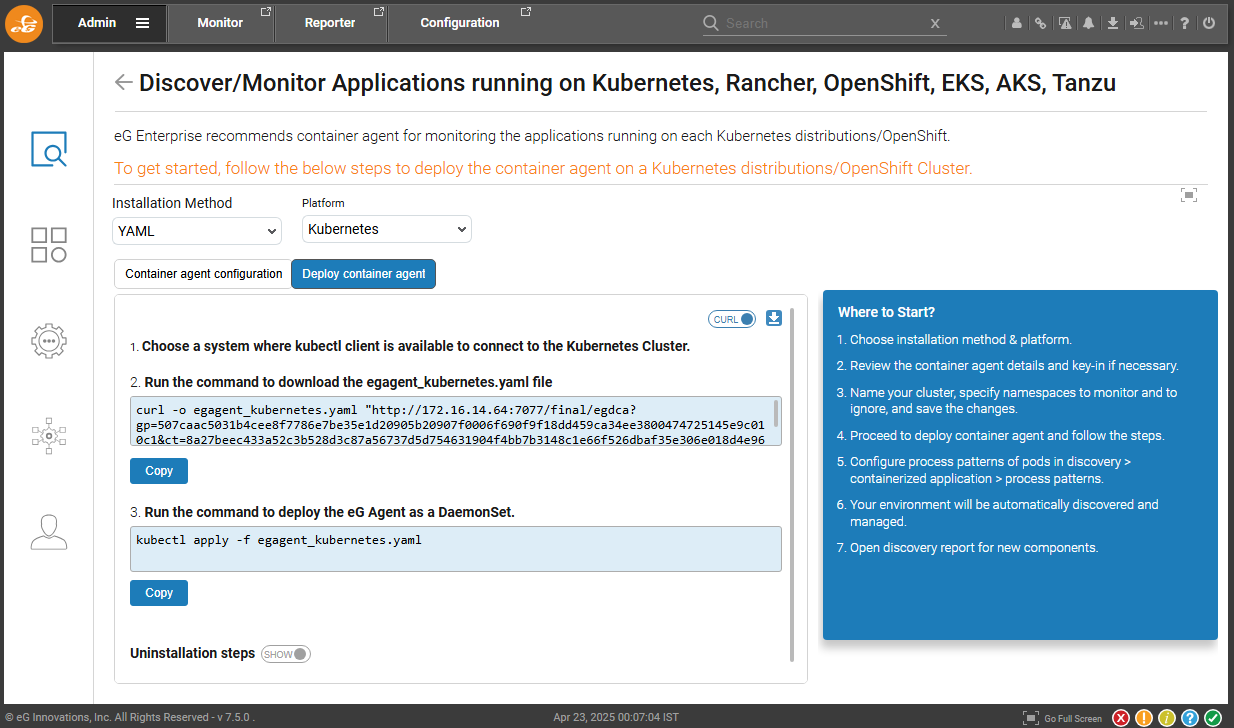
Go to Deploy container agent as shown in Figure 2 and run the command to deploy the agent on worker nodes.
Once the cluster, node, or application is managed for monitoring, the forthcoming sections will discuss how eG Enterprise monitors and collects performance metrics across multiple Kubernetes platforms.