Mongo Azure Large Collections Test
MongoDB on Azure handles large collections by leveraging horizontal scaling (sharding), optimized indexing, and high-performance storage. Azure’s infrastructure ensures fast access, while MongoDB’s flexible schema supports efficient querying, analytics, and management of massive datasets across distributed environments.
Monitoring large MongoDB collections on Azure is essential to detect performance issues, manage resource usage, and ensure efficient indexing. It helps prevent slow queries, optimize storage, maintain scalability, and avoid downtime as data volume and user demand grow.
This test monitors the Mongo Azure large collections and reports key metrics like number of collections, size of collections etc. These metrics help the administrators analyze and understand the current state of the database and allows them to take preemptive actions in case of potential failures. This way administrators can ensure high availability and high performance through proactive monitoring approach.
Target of the test : An Azure Cosmos Mongo Server
Agent deploying the test : A remote agent
Outputs of the test : One set of results for target Mongo server being monitored.
| Parameter |
Description |
|
Test period |
How often should the test be executed. |
|
Host |
The host for which the test is to be configured. |
|
Port |
The port number at which the specified host listens. |
|
Subscription Id |
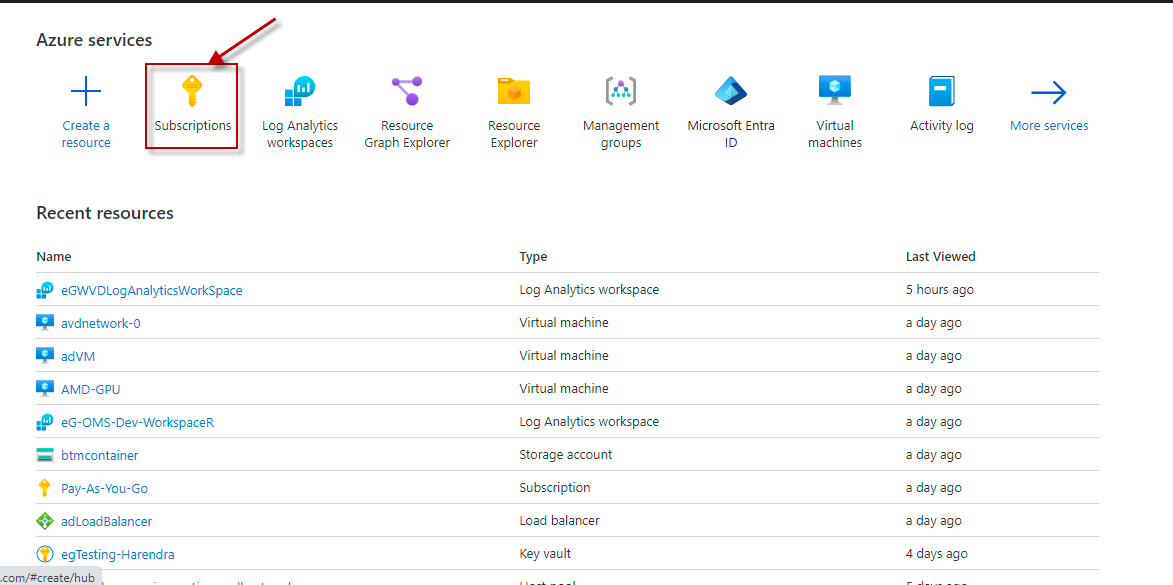
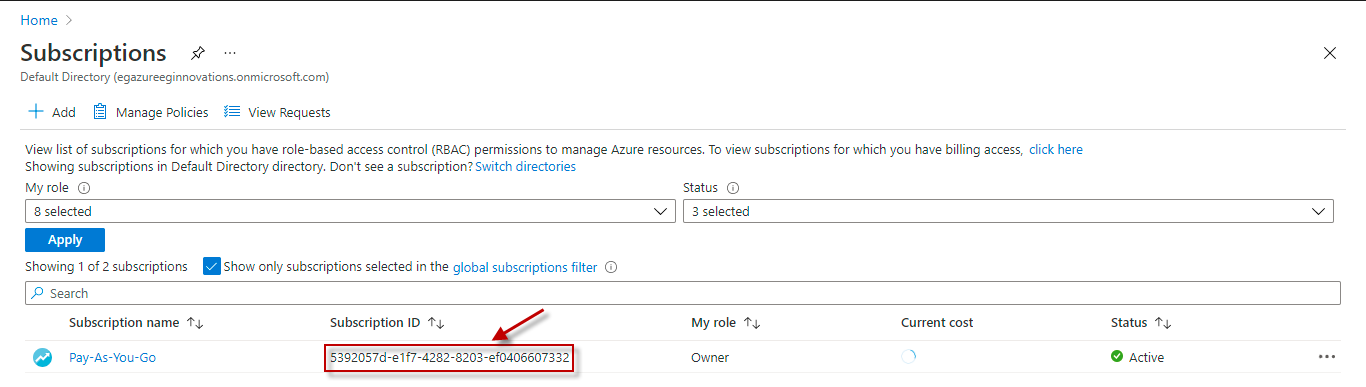
Specify the GUID which uniquely identifies the Microsoft Azure Subscription to be monitored. To know the ID that maps to the target subscription, do the following:
|
|
Tenant Id |
Specify the Directory ID of the Microsoft Entra tenant to which the target subscription belongs. To know how to determine the Directory ID, refer to Configuring the eG Agent to Monitor Microsoft Azure section in Monitoring Microsoft Azure Subscription document. |
|
Client Id and Client Password |
To connect to the target subscription, the eG agent requires an Access token in the form of an Application ID and the client secret value. For this purpose, you should register a new application with the Microsoft Entra tenant. To know how to create such an application and determine its Application ID and client secret, refer to Configuring the eG Agent to Monitor Microsoft Azure section in Monitoring Microsoft Azure Subscription document. Specify the Application ID of the created Application in the Client ID text box and the client secret value in the Client Password text box. |
|
Resource Group name |
Specify the resource group name which we created on monitoring. |
|
Measurement |
Description |
Measurement Unit |
Interpretation |
|---|---|---|---|
|
Large collections |
Indicates the total number of large collections. |
Number |
Large collections in Azure Cosmos DB for MongoDB store vast data volumes, requiring partitioning, optimized indexing, and scalable throughput for performance. |
|
Maximum collection size |
Indicates the maximum collection size out of all collections. |
GB |
|