Adding Omnissa Horizon Cloud Control Plane
eG Enterprise cannot auto-discover Omnissa Horizon Cloud Control Plane component. This is why, you need to manually add a Omnissa Horizon Cloud Control Plane component to the eG Enterprise to monitor it. The steps for manually adding a Omnissa Horizon Cloud Control Plane component are detailed below:
-
Login to the eG admin interface.
-
Follow the Infrastructure -> Components -> Add/Modify menu sequence.
-
In the page that appears next, select Omnissa Horizon Cloud Control Plane as the Component type. Then, click the Add New Component button.
-
Figure 1 will then appear
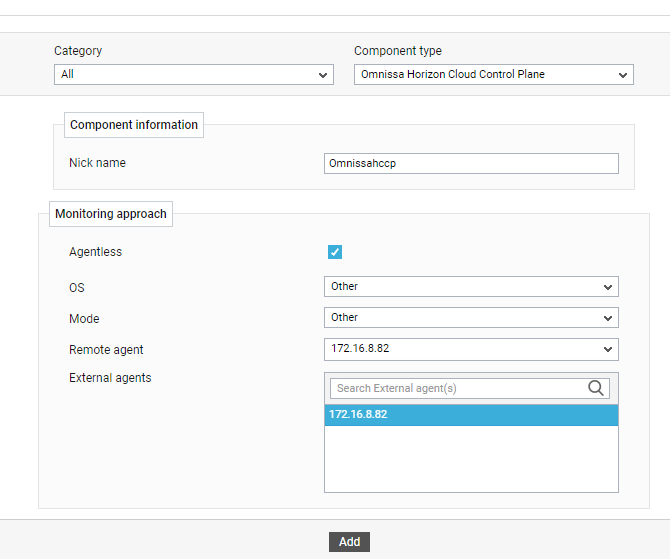
- Specify the Nick name of the Omnissa Horizon Cloud Control Plane in Figure 1. Also select Other as the OS and Other as the Mode. Then, choose a remote agent from the Remote agent drop down.
- Then, click the Add button to register the changes.