Monitoring Omnissa Horizon Cloud Control Plane
eG Enterprise provides a specialized monitoring model for Omnissa Horizon Cloud Control Plane.
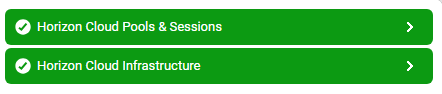
Figure 1 : Layer model of Omnissa Horizon Cloud Control Plane
Each layer of the Figure 1 is mapped to a variety of tests that provide valuable insights into the overall health and performance of Omnissa Horizon Cloud Control Plane. With the help of the metrics reported by these tests, you can find quick and accurate answers for the following queries:
- Were many inactive desktops noticed on each desktop pool?
- Were many desktops on each desktop pool noticed in Deletion state?
- Were many desktops on each desktop pool noticed in Error state?
- Were many desktop sessions available in each desktop pool?
- How many desktops/applications have active remote connections with the client?
- How many desktops/applications that were disconnected from the client?
- What is the percentage of desktop sessions that were actively used in each desktop pool?
- How many desktops can be accommodated in each desktop pool?
- How many desktops can be maintained in each desktop pool?
- How many blast sessions of desktop are identified in each desktop pool?
- How many RDP sessions of desktop are identified in each desktop pool?
- Is the desktop pool ready?
- Are all virtual desktops accessible over the network? Which desktop is not?
- Is the Horizon Cloud API available?
- Is the user logon session connected?
- Is the Unified Access Gateway unreachable?
Since the SSL Certificate Details test and HTTP test mapped to the Horizon Cloud Infrastructure Layer have been elaborately discussed in the Monitoring FortiGate Firewall document, and the Monitoring Apache Web Server document, the sections to come will discuss the other layers in detail.
The documentation of this monitoring model will focus on the layers of in detail.