Viewing the Compartment ID
To view the Compartment ID in the OCI Load Balancer, go to Identity & Security -> Compartments (see Figure 1).
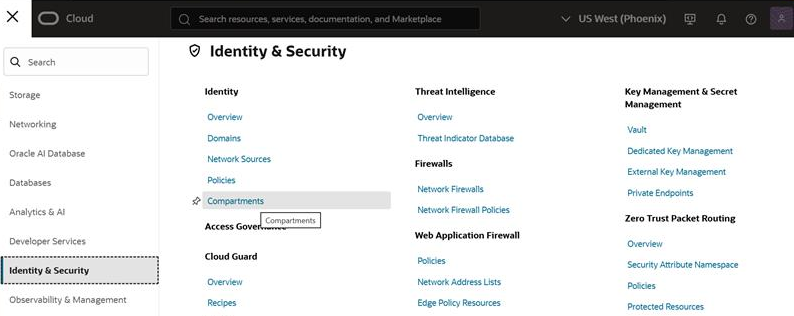
Figure 1 : Identity&Security Tab Page
You can now see a list of compartments that have already been added. Click the View Compartment Details options in the menu that pops up to view the details of an existing compartment (see Figure 2).
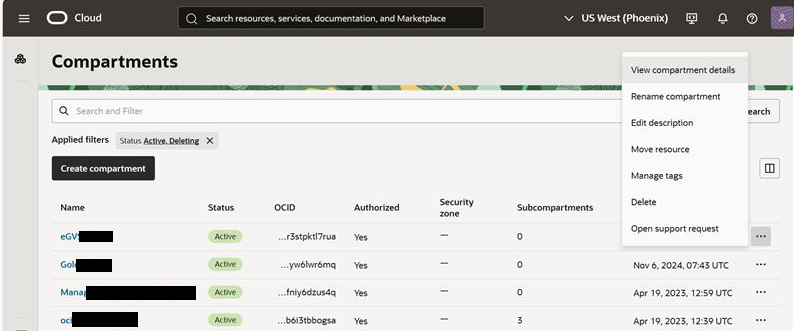
Figure 2 : List of Existing Compartments
Figure 3 appears. Now you can view the Compartment ID in which the load balancer you want to monitor is grouped. You can use the Compartment ID while configuring the tests.
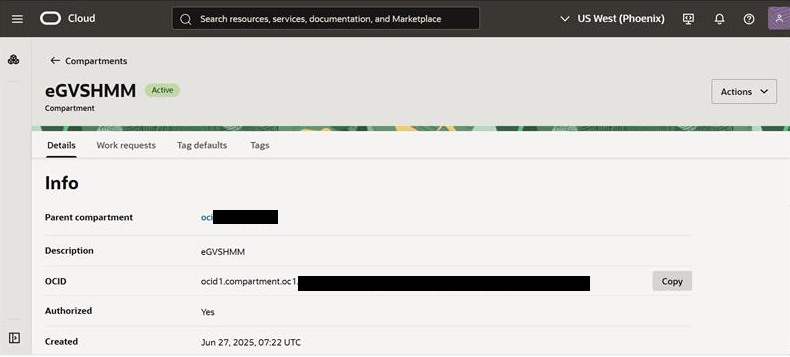
Figure 3 : Details of the Compartment