Configuring tests for Oracle VM Server 4.x
-
After adding a Oracle VM Server 4.x component, you will be redirected to the Components page (see Figure 1). Using the options provided in the Components page, you can modify, unmanage or delete the newly added component. In addition, you can also configure the tests, set thresholds and maintenance policies, and change the IP address.

Figure 1 : Listing the newly added Oracle VM Server 4.x components
-
To collect the performance metrics, you may need to configure the tests that are mapped to the Oracle VM Server 4.x component. To configure the tests that need manual configuration, click on the
 icon in Figure 1.
 -
Figure 2 then appears where the list of unconfigured tests will be listed in the UNCONFIGURED TESTS list box.
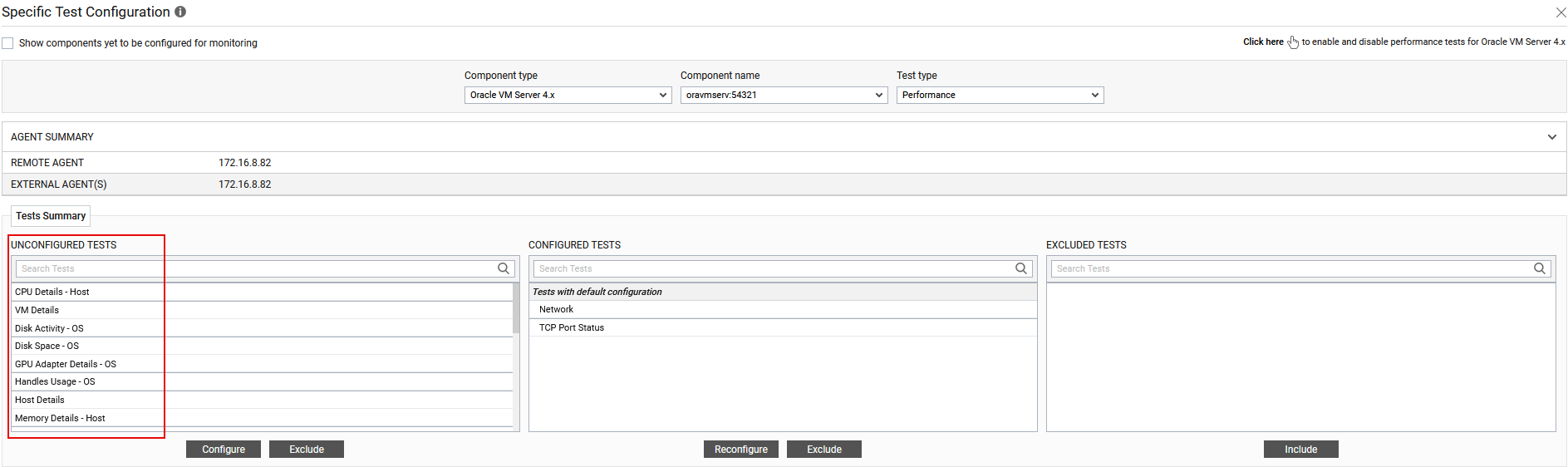
Figure 2 : The list of unconfigured tests for Oracle VM Server 4.x component
-
Now, click on the CPU Details - Host test to configure it. To know how to configure this test, refer to CPU Details - Host Test
-
The remaining tests will be automatically configured once the CPU Details - Host test is configured.
-
Once all the tests are configured, switch to the Monitor tab to view the performance metrics reported by the tests.