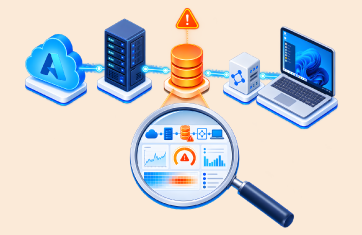
Why Azure Data Factory Monitoring is Critical for Data Pipelines
Monitor Azure Data Factory pipelines, triggers, and integration runtimes with real-time alerts, observability, and proactive performance analytics.
What is Azure Data Factory (ADF)?
Microsoft Azure Data Factory is a cloud-based data integration service provided by Microsoft Azure. It enables you to create, manage, and automate data workflows that move and transform data from different sources to various destinations. Essentially, ADF allows you to design, orchestrate, and manage data pipelines, making it easier to work with large volumes of data across on-premises and cloud environments.
In Microsoft Azure Data Factory, a pipeline is a set of activities that run in a specific sequence or in parallel to process data. Each pipeline can have parameters, triggers, and can be scheduled or executed on demand.
Challenges in Monitoring Azure Data Factory Pipelines
As organizations scale their cloud data operations, Azure Data Factory (ADF) often plays a critical role in orchestrating complex data pipelines across hybrid environments.
However, without a robust Azure Data Factory monitoring integration, teams risk losing visibility into pipeline run metrics, trigger failures, and integration runtime performance—which can lead to delayed insights, compliance risks, or broken SLAs.

Limitations of Native Azure Monitoring Tools
Native tools such as Azure Monitor and Log Analytics can provide a starting point, but often lack the depth needed for end-to-end observability or root cause analysis across interconnected workloads. This is why real-time alerts, role-based monitoring access, and support for advanced analytics (such as anomaly detection) are essential.
Effective Azure Data Factory monitoring can enable data engineering teams to proactively detect anomalies, reduce pipeline downtime, and improve performance. With the right monitoring integration strategy, enterprises can turn ADF into a transparent, accountable, and highly optimized data orchestration layer.
Benefits of Azure Data Factory Monitoring
Monitoring Azure Data Factory enables you to:
- Ensure Data pipeline health
- Track the movement of data
- Optimize resources
- Ensure data security and compliance
eG Enterprise Azure Data Factory Monitoring Capabilities
From version 7.5 eG Enterprise has added custom-built monitoring of Azure Data Factory. Out-of-the-box thresholds and alerts are automatically set up to give you instant notification of problems with ADF.
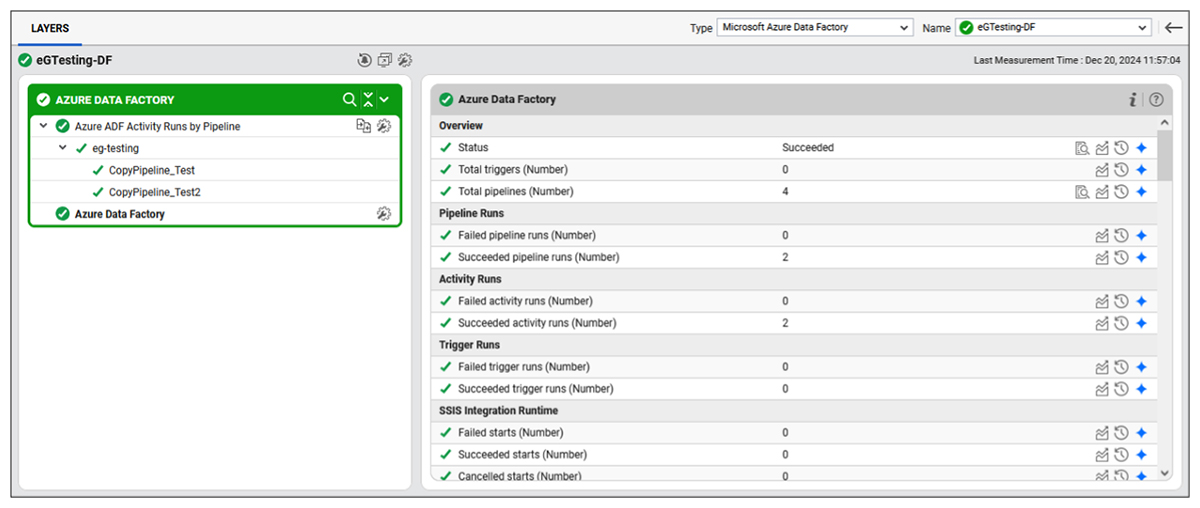
Monitoring SSIS Integration Runtime in Azure Data Factory

Monitoring MVNet Integrations in ADF

Monitoring Apache Airflow Integrations in ADF


Real-Time Pipeline & Activity Monitoring in ADF
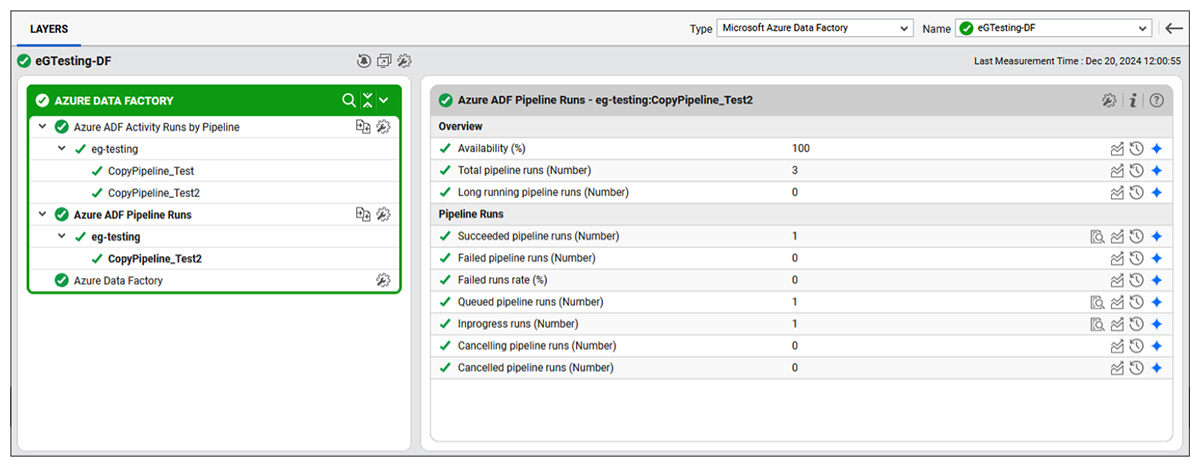
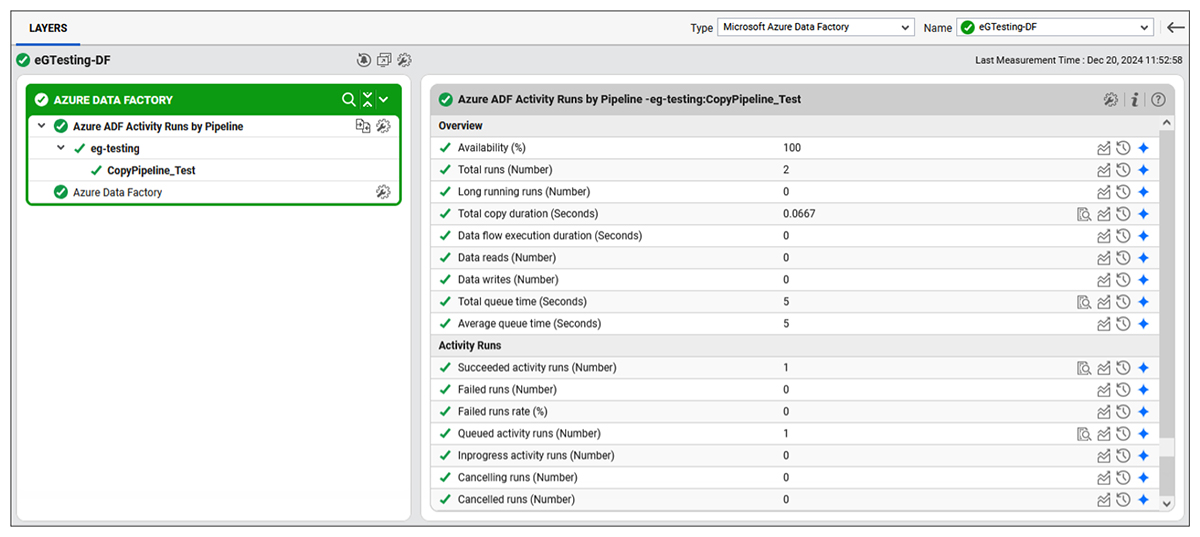
With eG Enterprise’s proactive monitoring for Azure Data Factory you can now instantly:
- Identify the count of pipelines and triggers created on Microsoft Azure Data Factory
- Detect the pipeline with maximum number of failed runs/queued runs
- Identify the pipeline with maximum number of failed activity runs/queued activity runs
- Understand integration runtime performance and how well pipelines and triggers are established when Azure Data Factory is integrated with SSIS, MVNet, Apache Airflow etc.
To learn more about eG Enterprise’s capabilities for monitoring Microsoft Azure and Azure Services, please see: Azure Cloud Monitoring Tools for IaaS, PaaS, SaaS | eG Innovations.
Use Cases of Azure Data Factory Monitoring
Common use cases include tracking pipeline failures, monitoring trigger success, validating integration runtime health, and investigating delayed data movement. It is also useful for identifying recurring performance issues, supporting release validation, and protecting business-critical reporting flows.
Why Choose eG Enterprise for Azure Data Factory Monitoring
eG Enterprise is a strong fit for organizations that need deeper visibility into Azure Data Factory performance, dependencies, and execution trends. It helps operations teams move from basic monitoring to actionable observability, which is especially valuable in complex data environments.
Business Impact: Faster Troubleshooting, Better SLA Management & Data Reliability
End to end monitoring leads to faster issue resolution, which reduces the time data pipelines remain unhealthy or unavailable. It also supports stronger SLA management by helping teams detect and respond to problems before they affect business users, reporting systems, or downstream applications.
eG Enterprise is an Observability solution for Modern IT. Monitor digital workspaces,
web applications, SaaS services, cloud and containers from a single pane of glass.
Frequently Asked Questions
Azure Data Factory monitoring is the process of tracking pipeline executions, trigger behavior, and integration runtime health to ensure reliable data orchestration. It helps teams identify failures, delays, and performance issues early.
Monitoring is important because ADF pipelines often support critical business data flows. If a pipeline fails or runs late, it can affect analytics, reporting, and downstream processes.
eG Enterprise monitors Azure Data Factory by providing visibility into pipeline performance, runtime behavior, and execution outcomes. This helps teams understand not just whether a pipeline ran, but how well it ran.
Yes. Monitoring can detect failed pipeline runs, trigger issues, and runtime-related problems so teams can respond quickly and reduce disruption.
Native tools such as Azure Monitor and Log Analytics can provide a starting point, but often lack the depth needed for end-to-end observability or root cause analysis across interconnected workloads. This is why real-time alerts, role-based monitoring access, and support for advanced analytics (such as anomaly detection) are essential.