


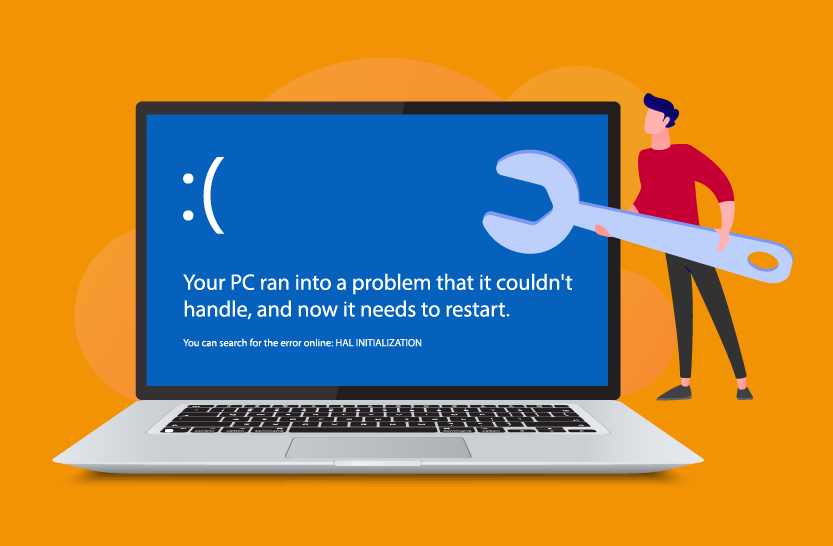
Is BSoD monitoring really still necessary these days?

Yes, BSoDs are still cropping up in high-impact ways in 2025, from flawed Windows updates (especially 24H2 patches) to driver rollouts and heavily-threaded server environments. It remains essential for IT admins to track event reports, test updates in staging, enable rollback strategies, and be prepared with recovery mechanisms.
Why BSoDs Matter: Endpoint BSoDs (Blue Screens of Death) signal critical system failures that can disrupt user productivity, compromise data, and often indicate underlying hardware or driver issues. BSoDs are show stoppers for end-users at best requiring a reboot and at worst can require lengthy recovery support calls and high-risk security vulnerability exposure.
Why It’s Difficult: BSoDs often occur without warning, leave limited visibility after reboot, and generate logs that are hard to centralize and analyse across a distributed fleet of endpoints. End users often don’t bother notifying help desk staff and so many administrators are blind to these incidents.

What causes BSoDs?
Let’s consider some recent causes of BSoDs:
1. Kernel-level update failures
In July 2024, a faulty CrowdStrike driver (a kernel level driver) update caused BSoDs affecting banks, airlines, broadcasters, etc. IT admins had to boot affected Windows machines into Safe Mode and manually delete the bad driver file to recover. This was probably the most high-profile and wide-spread BSoD problem in recent years. Read more: Major Windows BSoD issue hits banks, airlines, and TV broadcasters | The Verge.
2. Faulty Windows update issues
After the March and April 2025 cumulative updates (KB5053656, KB5055523) for Windows 11 24H2, devices running Windows 11 24H2 began crashing with SECURE_KERNEL_ERROR (0x18B) BSoDs. Microsoft quietly acknowledged the issues – see: Microsoft warns of blue screen crashes caused by April updates.
3. Highly-scaled systems
Recently, systems using Windows Server 2025 with >256 logical cores began blue-screening on startup or during app launches. Microsoft patched it in April 2025 (KB5046617); before that, the workaround was to cap logical cores to 256. Some organizations are using hardware at scales beyond the test capabilities of many vendors and so BSoD monitoring and troubleshooting is particularly important for enterprises exposed by the scale of their operations and hardware. Fuller details of this incident are covered here: Microsoft fixes bugs causing Windows Server 2025 blue screens, install issues.
Other reasons for BSoDs include corrupt files and virus / malware attacks, which come with a wide range of unwanted ramifications and impacts.

BSoDs Need to Be Taken Seriously
Often the root causes of BSoDs never get addressed because a support ticket needs to be manually instigated by the end-user contacting the Help Desk, files such as crash dumps will need to be collected and examined and so on. In practice, many users simple allow their system to reboot and do not report BSoDs.
BSoDs often are a symptom of problems that are a bigger threat to organizations than interruptions to individual users. BSoDs are often the manifestation of issues with the potential for significant security breaches, data loss and widespread protracted disruption to business continuity.
How to Protect the DEX (Digital Employee Experience) with eG Enterprise BSoD Monitoring
Monitoring BSoD events is a key to knowing if there is an issue that is impacting your users. The faulty CrowdStrike software update impacted millions of devices. Many BSoDs are insidious and intermittent or impact only a subset of users or systems fulfilling certain criteria, working out the common factors via manual correlation is unfeasible and unnecessary.
Out-of-the-box eG Enterprise provides proactive BSoD monitoring, alerting and root-cause analytics. You get:
-
Automated BSoD detection and alerting: eG Enterprise automatically recognizes when a BSoD has occurred and raises alerts. Alerts can be raised via the eG Enterprise, in browser, via email or SMS, and automatically channelled to all major ITSM systems such as ServiceNow, PagerDuty, MS Teams and so on.

-
Detailed root-cause diagnostics: eG Enterprise also analyses key details related to the crash, such as date and time, bug check strings, error codes, and any relevant driver information, crash dump logs and so on.

-
Comprehensive reporting: Out-of-the-box GUI reporting, requiring no query languages, allows IT teams to identify devices that have encountered BSoDs within a specific timeframe, allowing IT teams to understand the extent of issues and patterns, even across a large number of endpoints.
-
AI-powered event and data correlation: eG Enterprise saves and analyses both real-time and historical information about BSoDs and other events on systems, detecting and highlighting trends, root-causes and common patterns about events. Learn more: What is Event Correlation? And Why Does Event Correlation Matter when Monitoring? | eG Innovations
-
Configuration and change tracking: eG Enterprise offers a rich suite of change configuration tracking features that allows IT teams to compare servers and track their configuration history. Problematic driver and patch releases and their introduction can be rapidly understood. Learn more: Configuration Management & Change Tracking for Observability
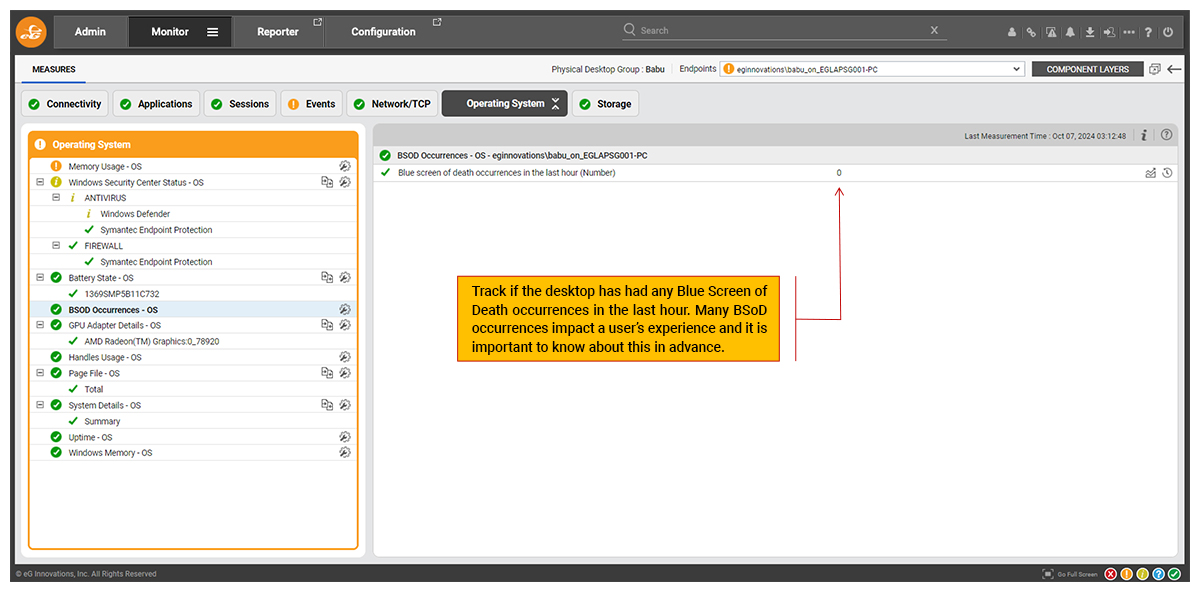
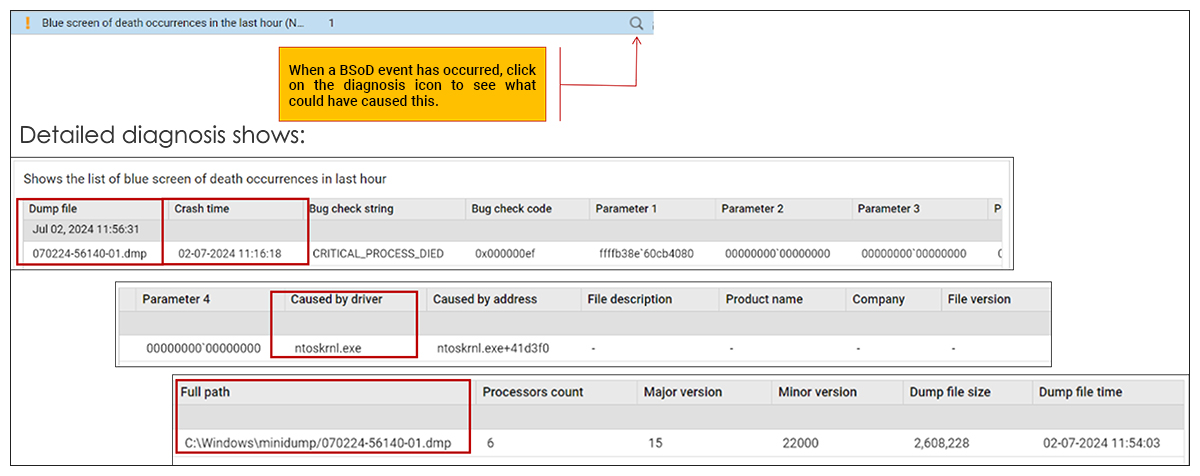
BSoD monitoring is just one feature of eG Enterprise’s comprehensive suite of OS and endpoint monitoring capabilities, others include: Battery health monitoring, home network and final mile internet diagnostics (Wi-Fi, ethernet and ISP), disk health monitoring, app crash and hang monitoring and lots more.
eG Enterprise is an Observability solution for Modern IT. Monitor digital workspaces,
web applications, SaaS services, cloud and containers from a single pane of glass.
Related topics:
- What is Endpoint Monitoring? | eG Innovations
- Physical Desktops Monitoring | eG Innovations
- Microsoft Intune Monitoring | eG Innovations
- How to deploy the eG VM Agent via Microsoft Endpoint Manager’s Intune to monitor your Windows 365 Cloud PC desktops | eG Innovations
- Best VDI Technology: Citrix, VMware, AWS, AVD
- Configuration Management & Change Tracking for Observability


